
Take Control of
every users workspace
Deploy user preferences, configure application settings, and consistently manage trusted application exceptions.

Deploy user preferences, configure application settings, and consistently manage trusted application exceptions.
Define, manage, and enforce user preferences from a single location, ensuring a consistent experience across devices, sessions, and environments.
Precisely control application behavior using registry settings, administrative templates, and context-aware rules without complex scripting.
Simplify the deployment and ongoing management of Microsoft App Control with centralized policy handling, auditing, and visibility.
Automatically adapt the workspace based on user identity and device type to deliver the right experience every time.
Run scripts and one-time tasks in a controlled, reliable manner during logon, logoff, or on demand, without manual intervention.
Reduce complexity and operational effort by replacing fragmented tools and custom scripts with one unified workspace management platform.
AppVentiX offers a modern, fully supported alternative for managing user workspaces. Gain precise control over user preferences, application settings, drives, printers, and trusted applications using familiar administrative templates and centralized policies. AppVentiX delivers a predictable, secure workspace experience across physical, virtual, and cloud environments—without the complexity of legacy tooling.

Centralized user preferences give IT teams a single, reliable way to control how users experience their workspace, regardless of where or how they log in. Instead of relying on device-specific settings or complex scripts, preferences are defined once and applied dynamically across physical, virtual, and cloud-based environments.
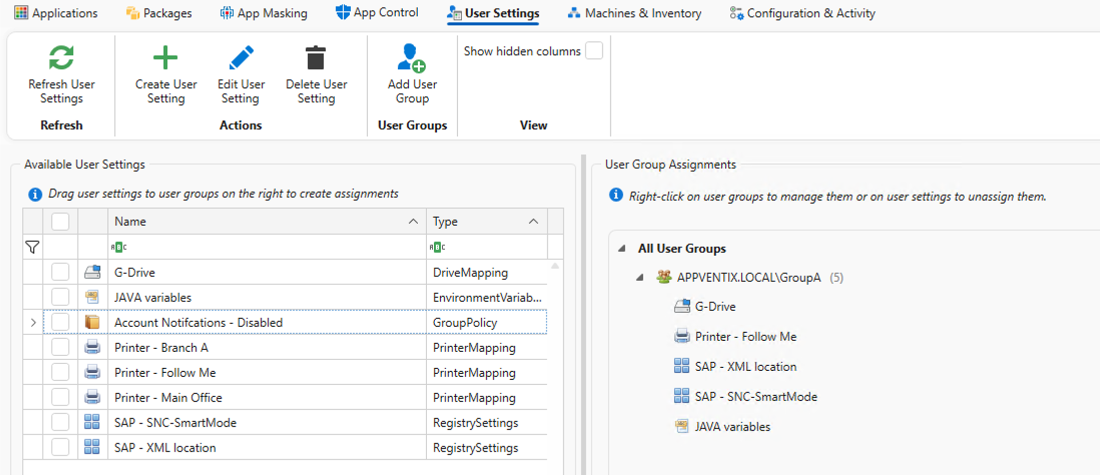
With AppVentiX, user settings follow the user, not the device. This ensures consistent behavior of applications and the operating system, reduces configuration drift, and eliminates time spent troubleshooting inconsistent setups. The result is a predictable, secure workspace that improves productivity for users and significantly reduces administrative effort for IT.
Modern workspaces demand security that is proactive, not reactive. By integrating Microsoft App Control into workspace management, AppVentiX helps ensure that only trusted and approved applications are allowed to run.
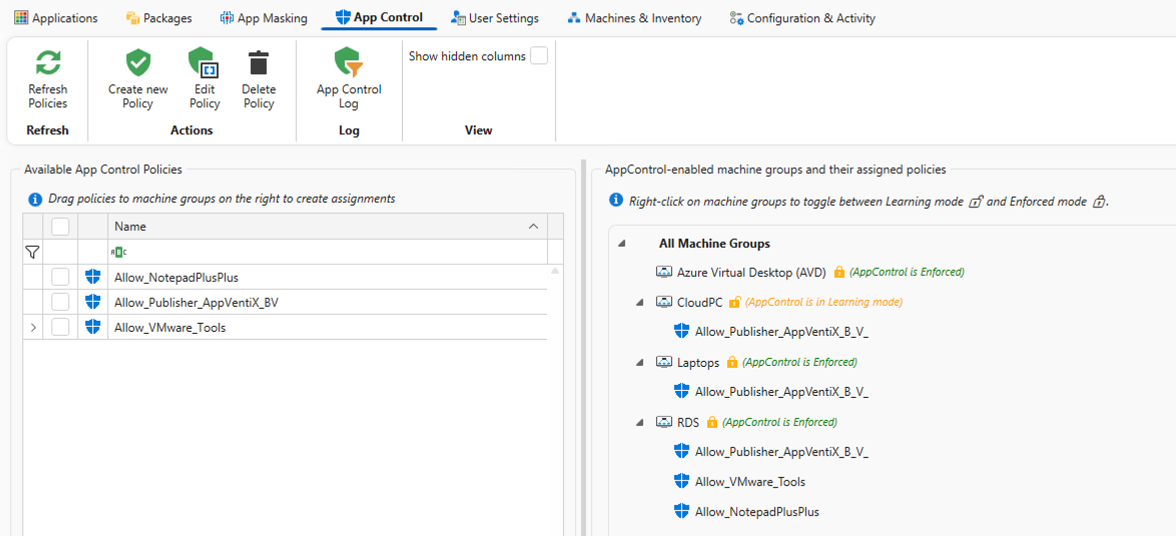
Centralized policy management makes it easier to define, deploy, and audit App Control rules across your environment. This prevents unauthorized or malicious code from executing, reduces the attack surface, and gives IT teams clear visibility into what is allowed and why. Security becomes an integral part of the workspace experience, enforced consistently without disrupting users or adding operational complexity.


Traditional Group Policies were never designed for today’s dynamic, cloud-enabled workspaces. As environments become more mobile and less domain-bound, legacy GPOs introduce complexity, slow change cycles, and unpredictable results.
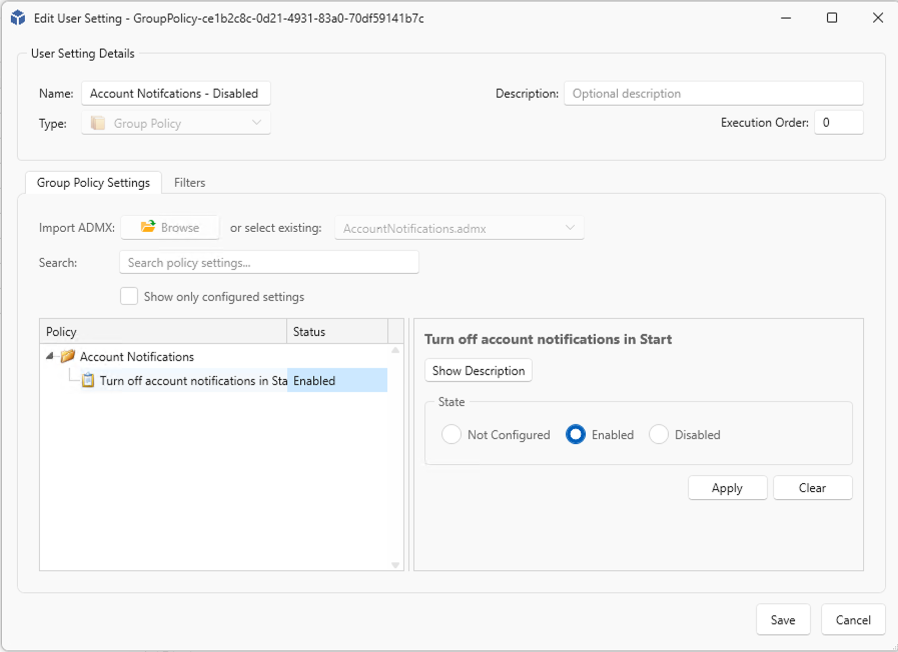
AppVentiX allows you to replace or complement traditional Group Policies with modern, context-aware controls that are easier to manage and quicker to adapt. Policies are applied in real time, targeted with precision, and managed from a single console. This reduces dependency on complex GPO structures, simplifies troubleshooting, and gives IT teams greater confidence when making changes across modern workspace environments.
Microsoft Intune provides a strong foundation for device management, but it doesn’t cover every aspect of day-to-day workspace behavior. AppVentiX complements Intune by filling those gaps with advanced, real-time control over user preferences, application behavior, and workspace logic.
Without relying on Intune for these functions, AppVentiX works alongside your existing setup to deliver finer granularity, faster changes, and better visibility. This allows IT teams to keep Intune focused on device and compliance management, while AppVentiX handles the detailed workspace configuration needed to deliver a consistent, secure user experience across all environments.

AppVentiX gives IT teams a modern, centralized way to manage user preferences, workspace behavior, and security. Across on-prem, cloud, and virtual environments, it ensures consistent experiences, stronger control, and simpler day-to-day management.