
Microsoft App Control
Made practical, manageable, and scalable
A manageable security layer, with centralized policies, audit-ready visibility, and streamlined security response.

A manageable security layer, with centralized policies, audit-ready visibility, and streamlined security response.
Learn how to implement and manage App Control for Business the easy way with AppVentiX 5.
From policies to real-time insights, our engineers walk you through it.
App Control Log centrally collects events from all machines in your environment, giving administrators a single place to troubleshoot application execution issues. Instead of manually connecting to individual machines and digging through local event logs, all relevant information is automatically gathered and presented in one clear, searchable view.
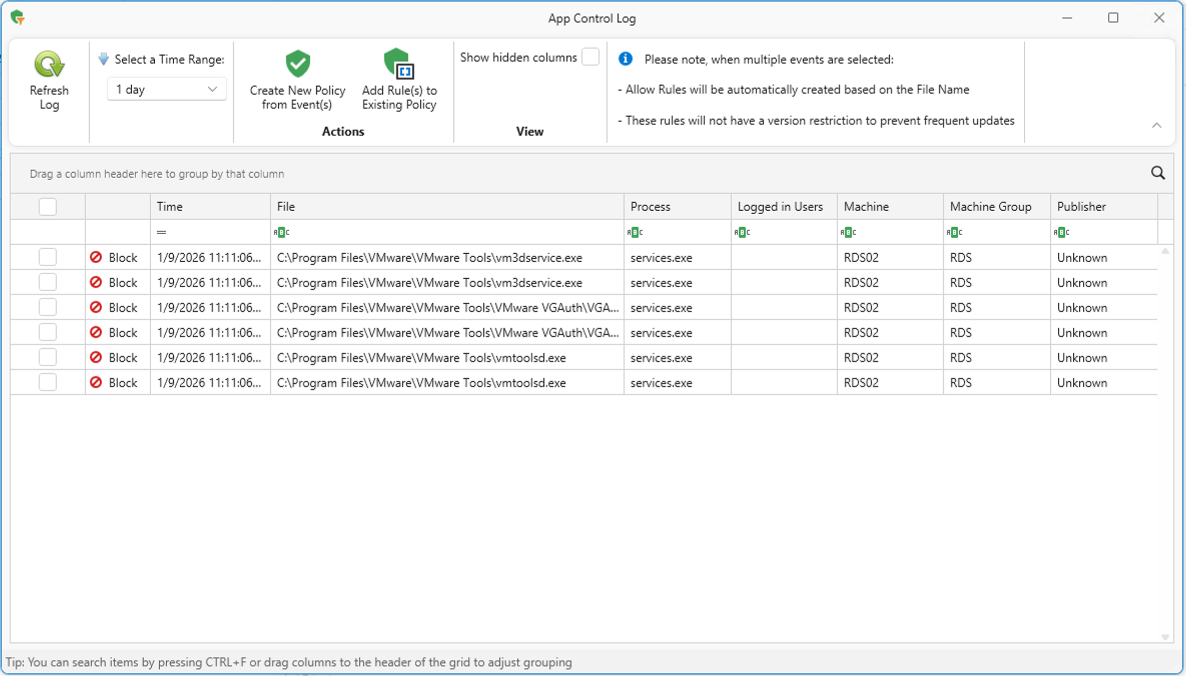
Centralizing these logs prevents important events from being missed due to log rotation, overwrites, or unrelated system noise. This makes it easier to identify blocked applications, understand policy behavior, and resolve issues faster, reducing downtime for users and saving valuable time for IT teams.
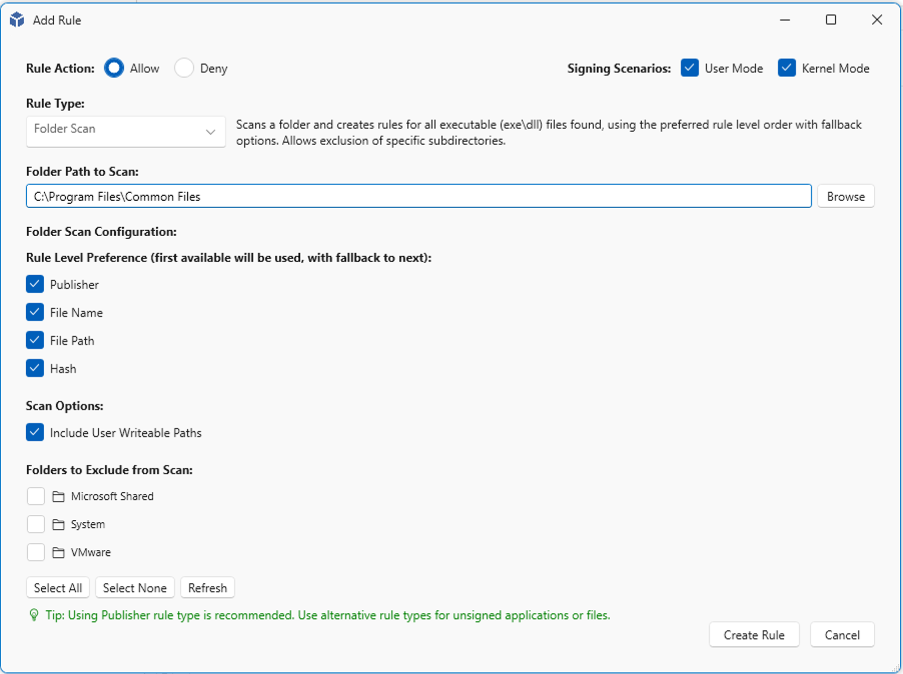
Add Rule provides a familiar, wizard-driven interface aligned with the Microsoft App Control experience, making it easy for administrators to create new execution exceptions. Instead of learning a new workflow, IT teams can define rule sets using the same concepts and steps they already know, reducing errors and speeding up daily operations.
Designed for real-world troubleshooting, Add Rule helps administrators quickly respond when applications are blocked. New rules can be created with confidence, validated as part of a controlled policy, and applied consistently across the environment—minimizing user disruption while keeping security firmly in place.
Safely stage App Control policies across test, acceptance, and production environments using a single, centralized workflow. Reuse the same policies across environments without duplication or reconfiguration.
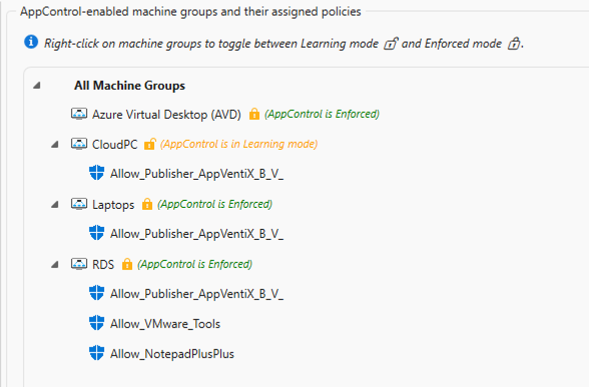
Quickly toggle between Learning and Enforced mode to validate changes, capture real-world behavior, and enforce policies only when you’re ready—keeping security strong without disrupting users.