

Great news. AppVentiX 5.3 is now available! This release introduces Application Usage Reporting, AppVentiX Agent Event Log Reporting, import/export of user settings, Pre- and Post-launch for managed shortcuts, and User State Roaming. Of course, we have improved the App-V and MSIX delivery too!
Here’s a closer look at the new features and improvements across Application Delivery and Workspace Control:
Application Delivery

AppVentiX modernizes how you deliver and manage applications with a simple, real-time approach that keeps users productive and IT in control. There’s no need to repackage AppV or MSIX applications and no proprietary technology locking you in.
Both admins and users benefit from fast, intuitive tooling that makes deployment smooth, predictable and easy to maintain across any environment.
App-V Deployment Configuration
App-V Deployment Configuration files can now be processed for packages that are already deployed. It is no longer necessary to remove a package before activating or updating its Deployment Configuration.
MSIX Shared Containers
Improved the deployment and management of MSIX Shared Containers. Administrator permissions are no longer required to enable a shared container.
Package Description Field
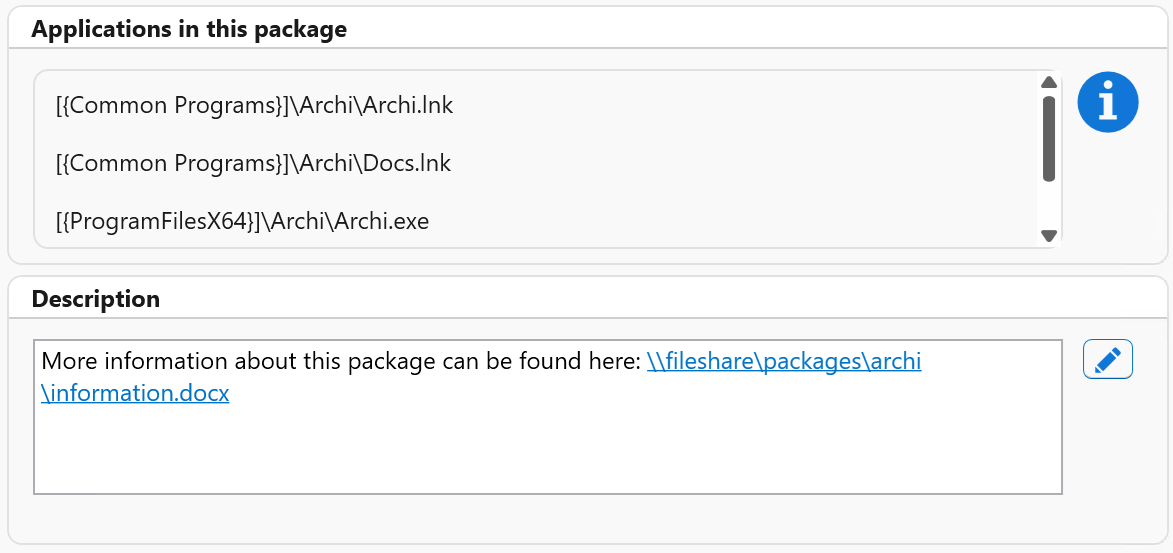
App-V and MSIX packages now include a description field in the package details window, which can be used to add notes or additional information about a package. Also hyperlinks to documentation are supported.
Reporting
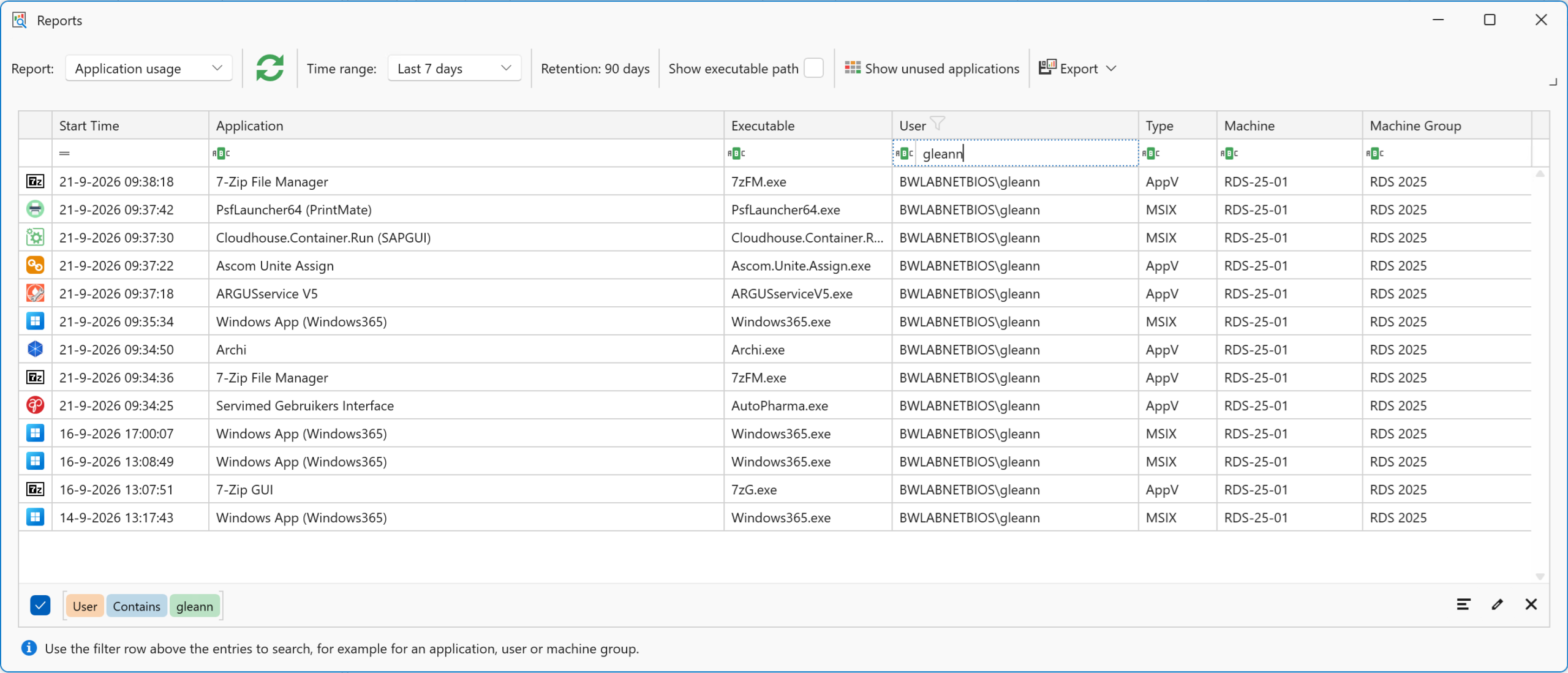
A new reporting feature has been introduced for tracking application usage across App-V, MSIX, and locally installed applications. Usernames can optionally be anonymized.
A new report has also been added that provides a consolidated view of AppVentiX Agent events. Both reports can be exported to Excel or PDF. Reporting can be enabled on a per-machine-group basis.
Workspace Analyzer
The Workspace Analyzer has been extended with additional functionality and improvements. Workspace Analyzer lets you select a user or user group and provides a clear overview of all applications and settings that apply to that user or group.
Workspace Control

AppVentiX gives you precise, flexible control over every user workspace. You can deploy user preferences, configure application settings through administrative templates and run one-time tasks or scripts to keep environments clean and predictable. Network drives and printers are mapped automatically, trusted application exceptions are managed consistently and you can granularly hide applications to shape the perfect workspace experience for every user.
External Tasks
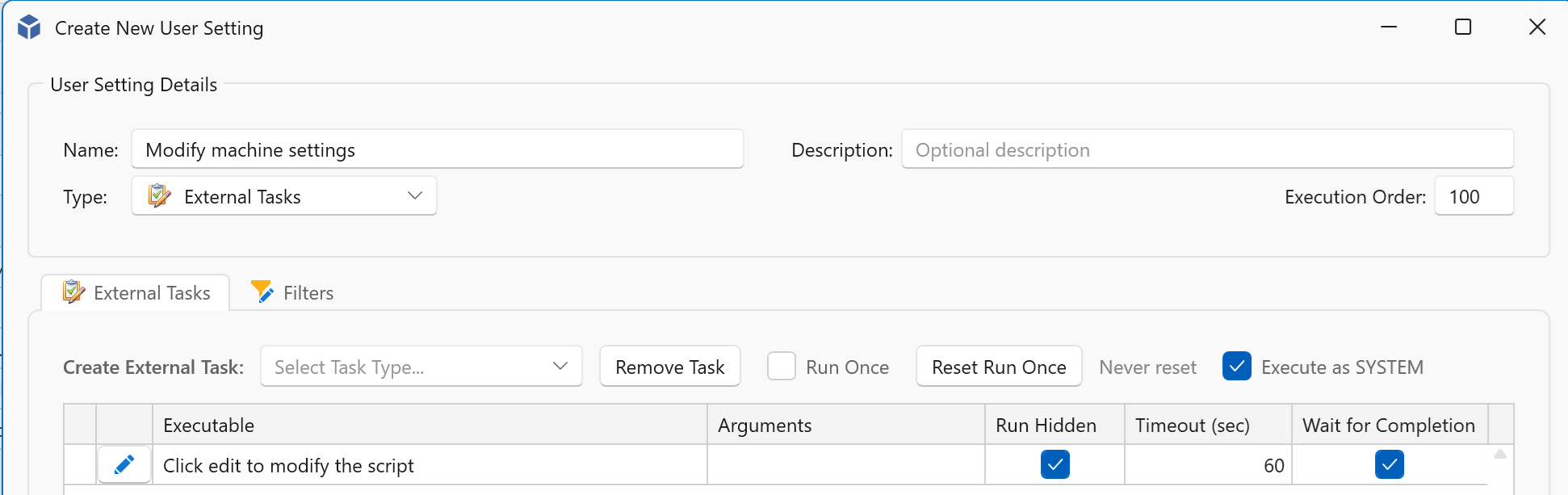
External tasks configured in User Settings can now be executed in the machine context.
User Settings Import and Export
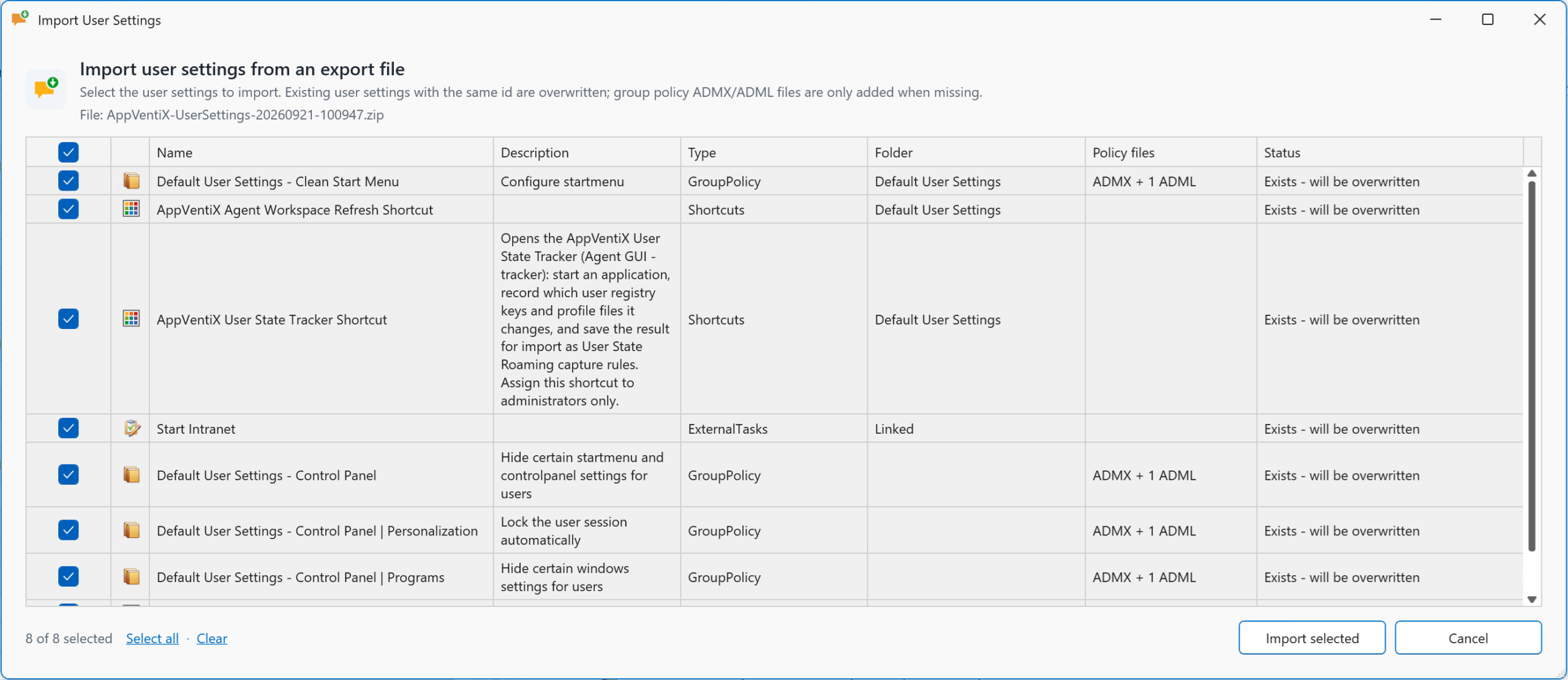
User Settings can now be exported and imported, making it easier to migrate configurations between different AppVentiX sites.
User Setting Registry Editor
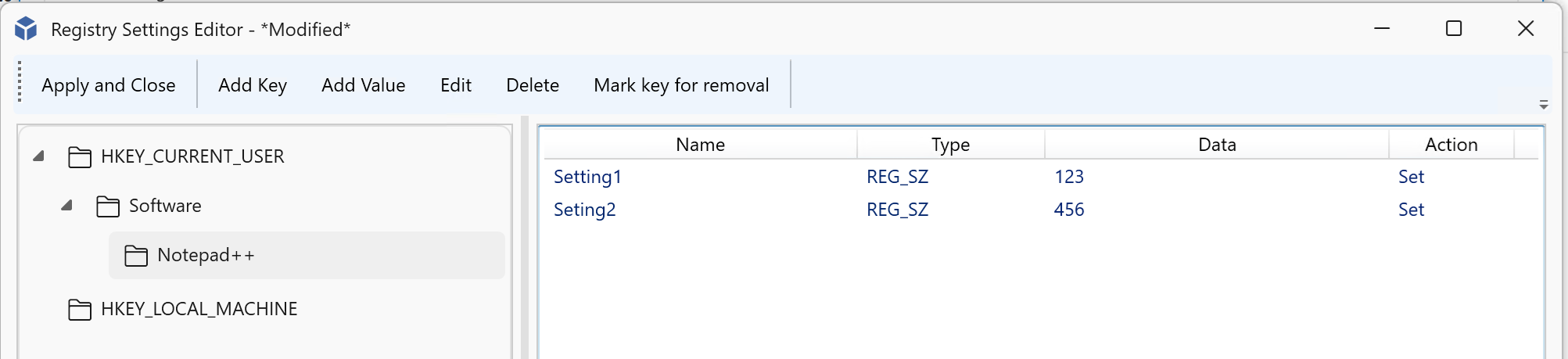
Registry settings now include a built-in editor, making it easier to configure and manage registry settings.
Managed Shortcuts Configuration Extensions
Several new configuration options have been added to Managed Shortcuts:
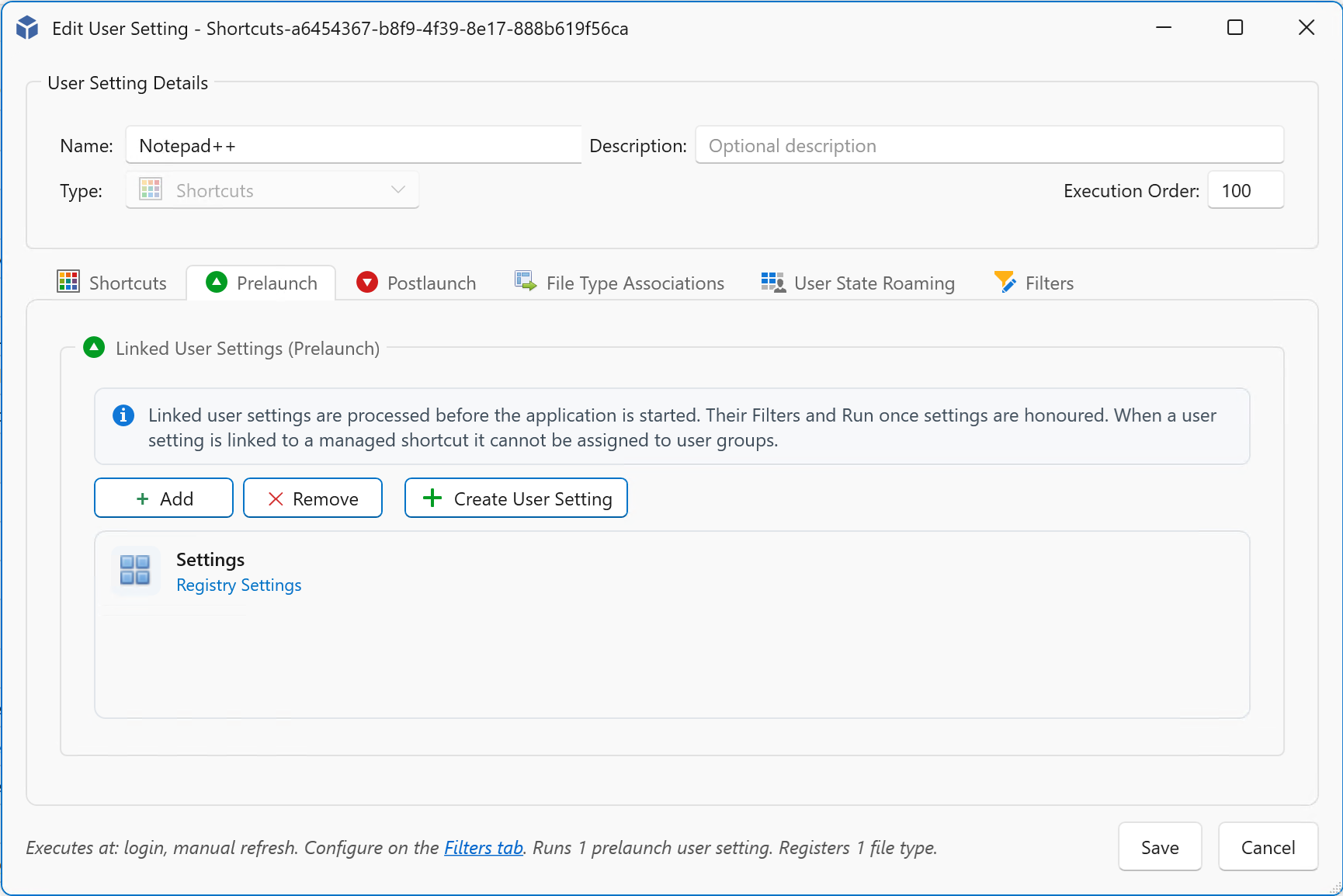
Pre-launch and post-launch actions
Managed Shortcuts can now execute configurable actions before and after an application is started. These actions can, for example, be used to set registry values or copy files.
File Type Associations (FTAs)
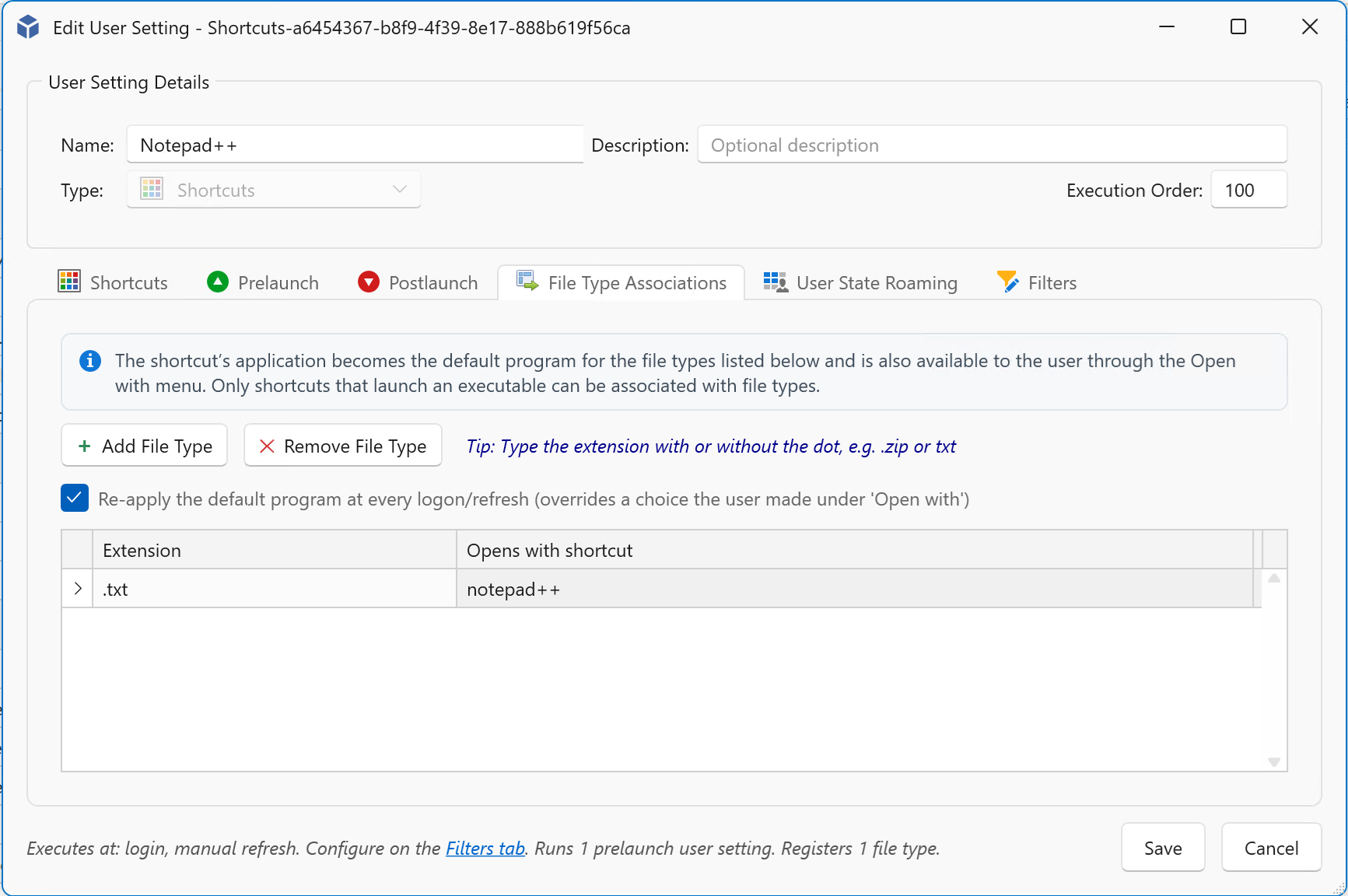
Managed Shortcuts now support the configuration of File Type Associations
User State Roaming
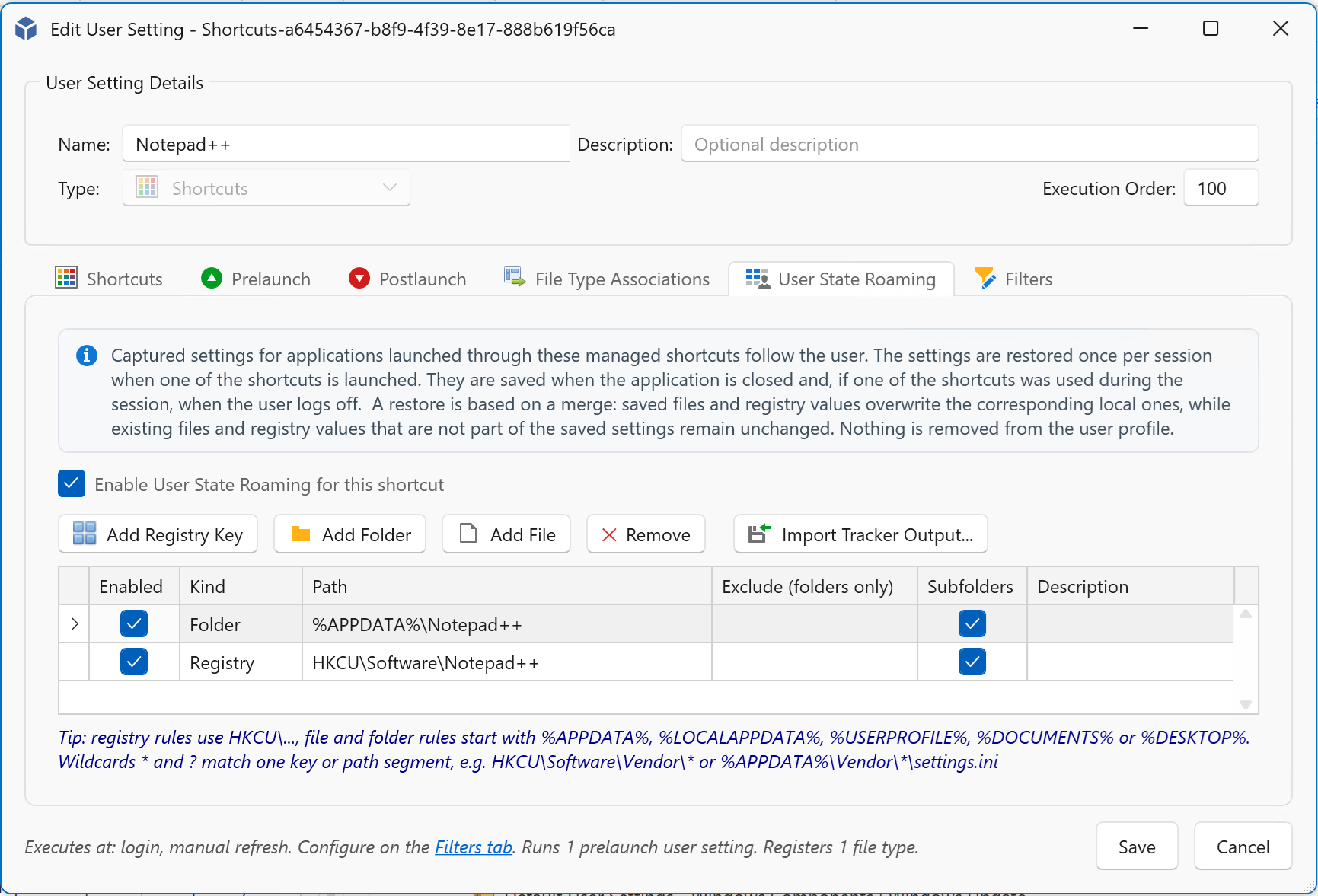
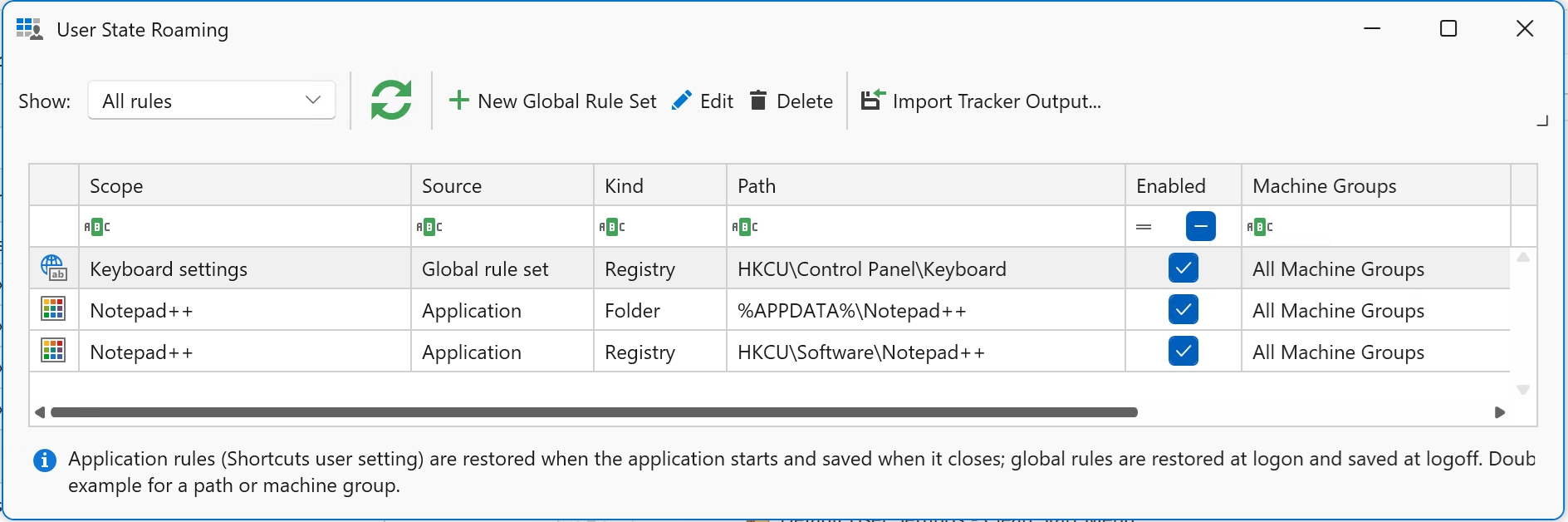
User State Roaming can save and restore application-specific user settings, including user profile files and registry settings, when applications are opened and closed.
Global rules can also be configured to save and restore user state during logoff and logon. User State Roaming can be enabled on a per-machine-group basis.
Default User Settings
New default User Settings are available in the console, making it easier to start with a baseline configuration.
App Control Enhancements
Several improvements have been made to App Control management, including:
- Extended base policy editing capabilities.
- Improved signing process for App Control policies.
Additional improvements and fixes:
- Central View Console improvements
Multiple UI enhancements have been introduced, including:- The Application View page has been removed from the main interface and is now available in a dedicated window.
- New multi-selection options, for example when unassigning settings.
- Improved UI refresh behaviour when configurations, such as package options, are changed.
- It’s now possible to export audit trail, reporting and other information to PDF and Excel.
- User Settings can be grouped by type, making them easier to find and giving you a clearer overview.
- You can now copy and paste user groups between different publishing tasks for App-V and MSIX packages.
- Additional Fixes
- Fixed an issue with AppVentiX Agent authentication against Microsoft Entra.
- Fixed an issue where some global settings were not saved correctly.
- Multiple improvements have been made to the MSIX package editor, including a fix that allows shortcuts starting with a numeric value to be saved correctly.
- AppVentiX PowerShell Module
The AppVentiX PowerShell module has been updated and improved, including enhancements for:- Importing existing App-V Server configurations.
- Importing Ivanti Building Blocks.
- Automating AppVentiX management tasks.
Take control now with the latest AppVentiX release.
Replace your traditional App-V infrastructure with AppVentiX and maintain full App-V support while gaining real-time control and enhanced functionality. Manage App-V and MSIX together in one platform and migrate to MSIX gradually when it suits your organization.