

Exciting news. AppVentiX 5.2 is now available! This version builds upon our biggest release ever! This release introduces support for Azure Blog Storage and the use of Azure Artifact Signing. Admins will be delighted to see the new Workspace Analyzer feature that shows you what app, setting or policy will be applied at a glance. Of course we have improved the AppV and MSIX delivery too.
Platform

The AppVentiX platform provides the foundational capabilities that power all application delivery and workspace control features. It delivers a secure, scalable, and resilient management layer that works consistently across on-premises, cloud, hybrid, and disconnected environments. Designed to integrate seamlessly with existing infrastructure, the platform enables centralized administration without dependency on cloud connectivity or proprietary services.
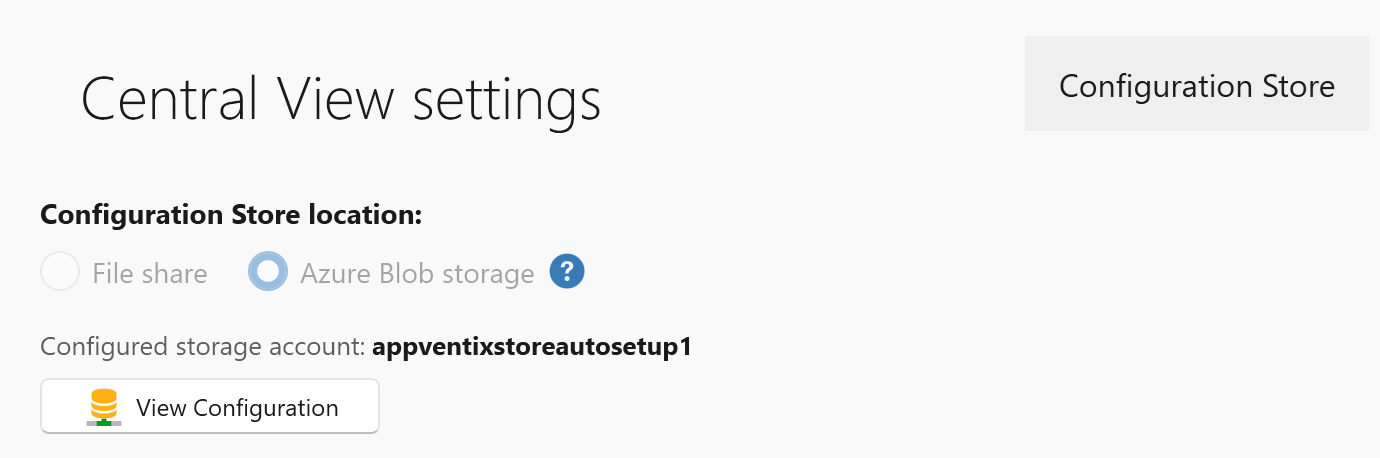
Azure Blob Storage
In addition to SMB based storage options, configurations and content can now be stored directly in Azure Blob Storage, removing the need for file shares. Hybrid environments are also supported through mixed configuration store combinations. For example, on-premises configurations can remain on a file share, while Entra ID-joined laptops use Azure Blob Storage. These combinations enable a flexible hybrid workspace model.
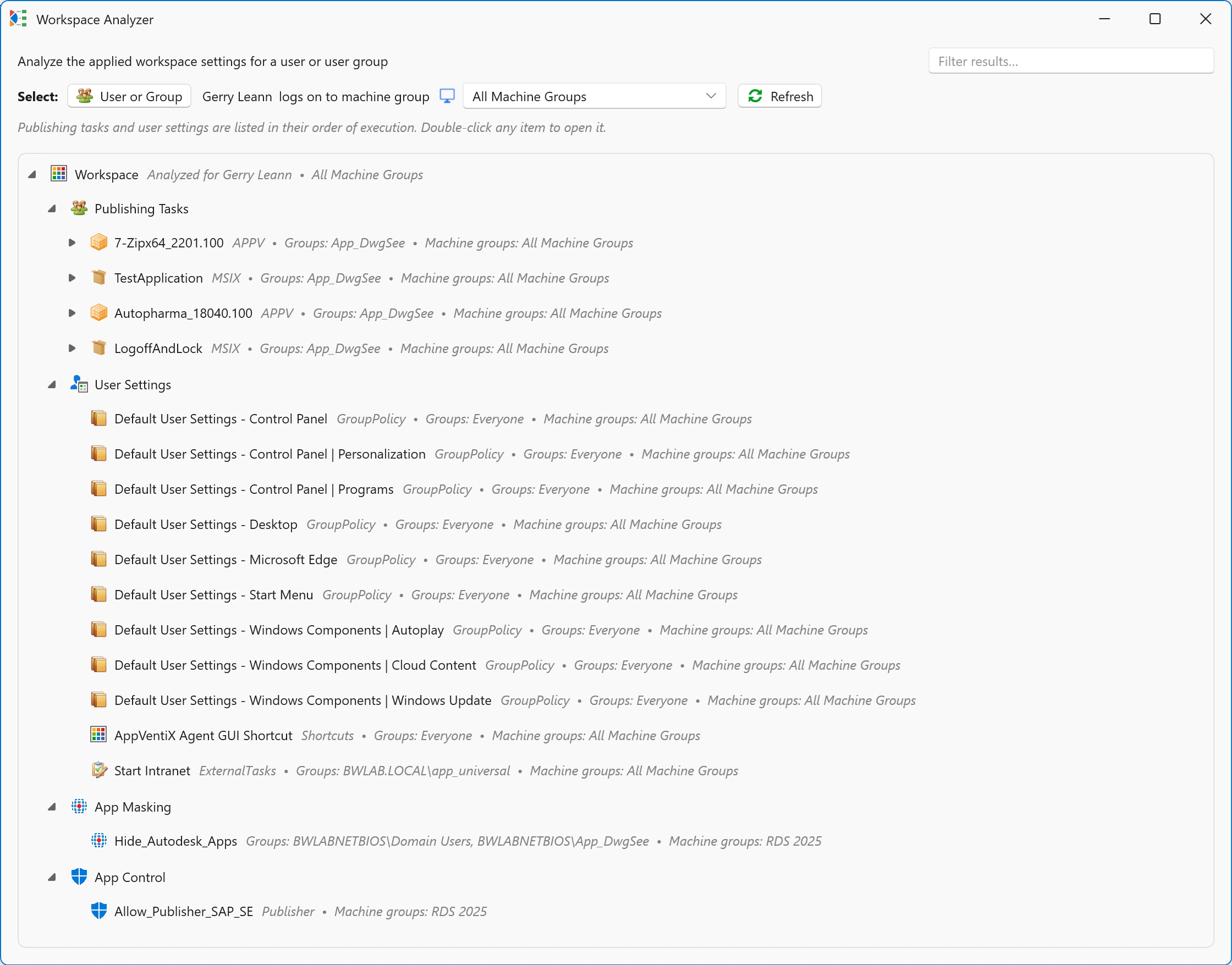
Workspace Analyzer
A new Workspace Analyzer feature has been added, allowing you to select a user or user group and quickly see which packages, user settings, app masking rules, and app control policies are applied.
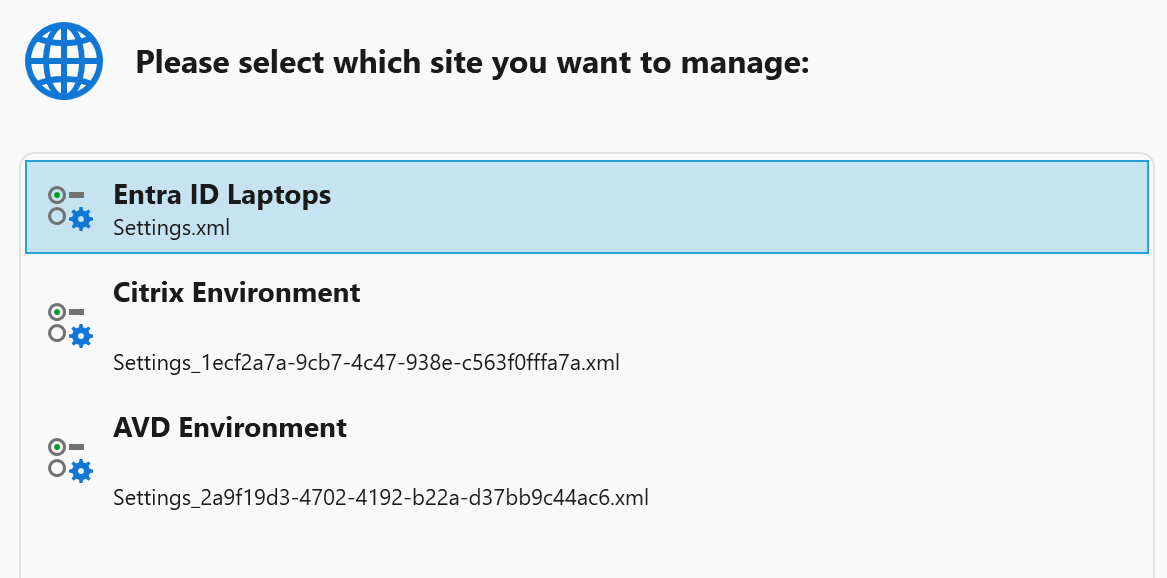
Support for multiple sites and back-up functionality
Multiple sites can now be created from the Settings window, allowing multiple configurations to run side by side. For example, an on-premises Citrix or cloud AVD\W365 based environment alongside an Entra ID laptop environment.
A new “backup site” button has been added to the settings window to quickly create a backup (snapshot) of the configuration store.

Machine groups enhancements
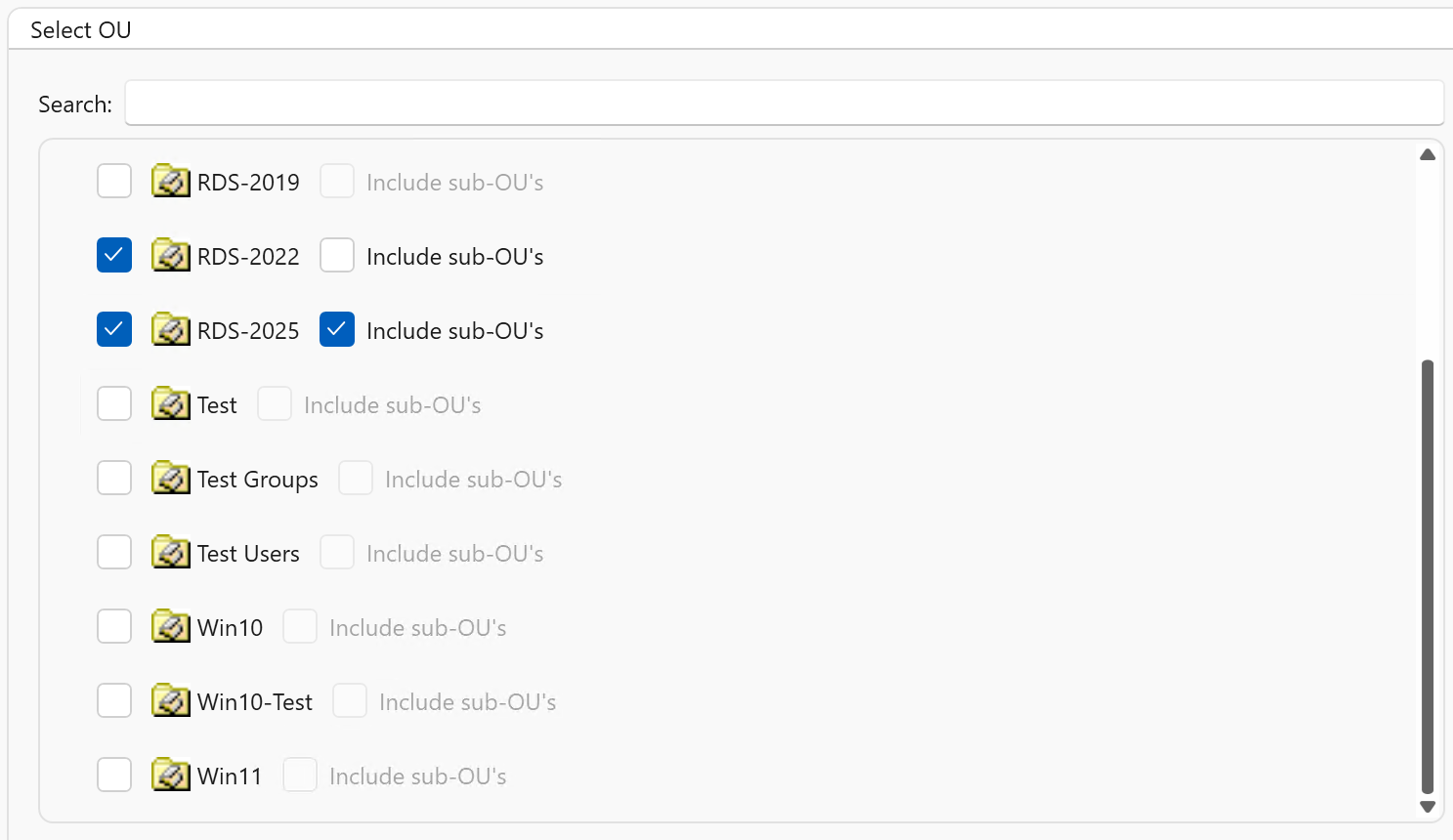
Multiple OUs can now be configured for Active Directory machine group types, including nested OU support. Also, support has been added for machine groups in other forests and domains than the one where the machine running the Central View console resides.
Support has been added for multiple Entra ID machine group types, including dynamic name filters and dynamic groups selected from Entra ID.
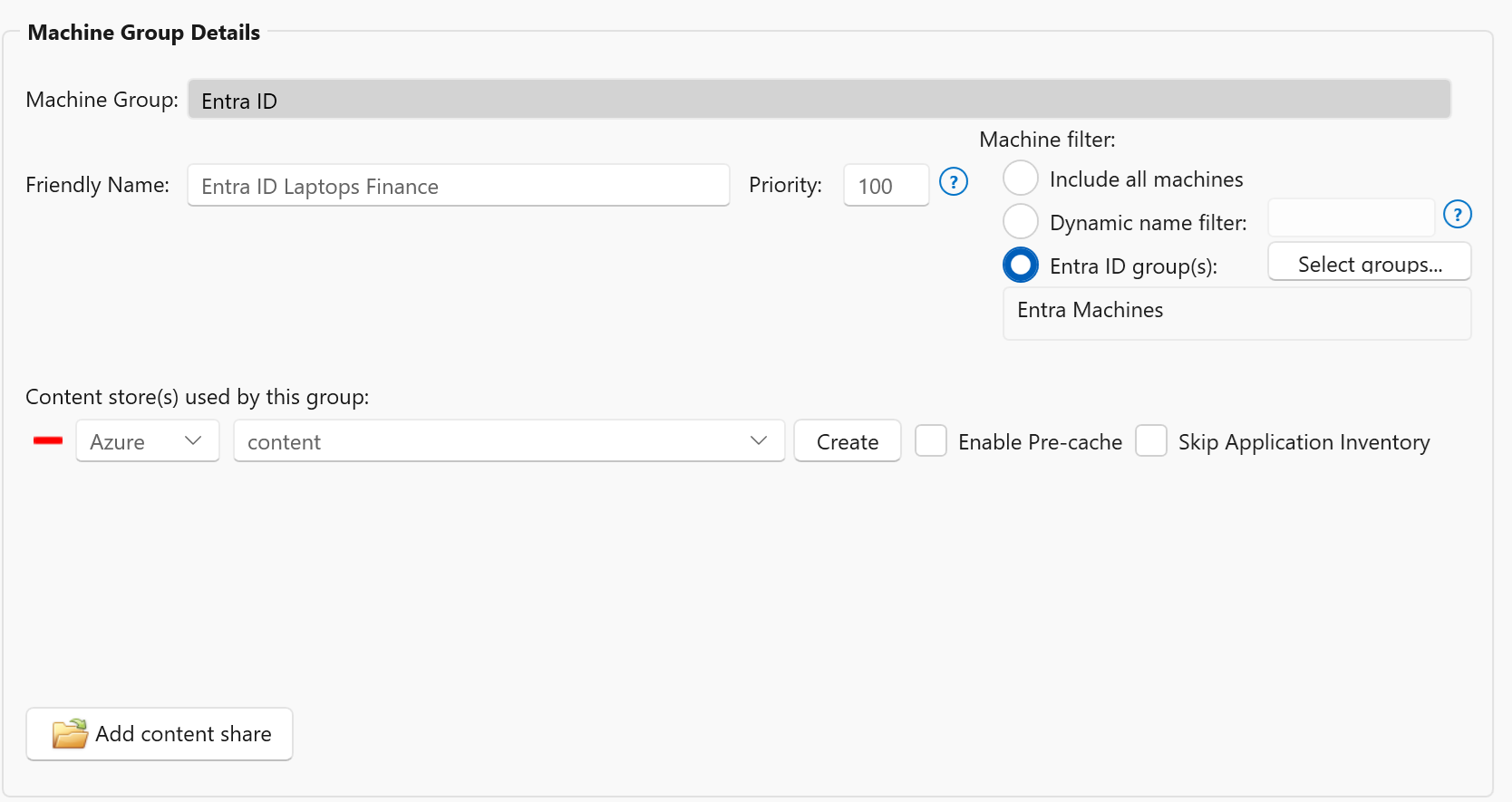
Machine groups now include a priority setting. When a machine belongs to multiple machine groups, this priority determines which agent settings take precedence and are applied.
Miscellaneous:
- Breaking change: The agent installation process has been simplified. Only a connectionstring parameter is now required, which contains all information needed to connect to the configuration store. The configshare parameter is no longer supported.
- For new configurations, the configuration store is now organized into folders to better align with the configured RBAC role permissions. RBAC configuration remains optional.
- The RBAC role implementation has been improved, and an additional option has been added to limit concurrent real-time machine inventory based on the active role.
- New refresh settings have been added to the agent settings, allowing you to hide the refresh window during user logon and adjust the applet size when users initiate a refresh using the refresh shortcut.

- LDAP(S) usage is now optional and is only used to refresh a user’s group membership without requiring the user to log off and back on again. When LDAP(S) is disabled, users must log on again for group membership changes to take effect, but LDAP(S) will no longer be used.

- Updated AppVentiX Powershell module including multiple fixes and improvements.
- We’ve introduced a whole new AppVentiX docs page, replacing the old PDF admin guide. You can find the new documentation page here: https://docs.appventix.com
Application Delivery

AppVentiX modernizes how you deliver and manage applications with a simple, real-time approach that keeps users productive and IT in control. There’s no need to repackage AppV or MSIX applications and no proprietary technology locking you in.
Both admins and users benefit from fast, intuitive tooling that makes deployment smooth, predictable and easy to maintain across any environment.
MSIX Enhancements
- Azure Artifact signing is now supported to sign MSIX packages
- The process for creating packages and shortcuts has been improved.
- The execution order of MSIX publishing tasks (for both native and app attach packages) was not honored. This has been fixed.
- Version comparison has been improved to ensure package versions are evaluated correctly. This fixes an issue where an older package version could incorrectly be detected as newer than the actual latest version.
App-V Enhancements
- Dynamic deployment configuration file editing and deployment improvements
- The AppVentiX Agent GUI has been improved, including better support for selecting multiple App-V packages and improved sorting behavior.
- Packages could be automatically loaded to 100%, even when on-demand streaming was enabled, if a service account had been configured. This has been fixed.
- The AppVentiX Migration Toolkit, used to import packages from an App-V server into AppVentiX, has been improved.
Workspace Control

AppVentiX gives you precise, flexible control over every user workspace. You can deploy user preferences, configure application settings through administrative templates and run one-time tasks or scripts to keep environments clean and predictable. Network drives and printers are mapped automatically, trusted application exceptions are managed consistently and you can granularly hide applications to shape the perfect workspace experience for every user.
Import default user settings from AppVentiX
Default user settings created by AppVentiX team members can now be imported, allowing you to quickly apply commonly used workspace fine-tuning options such as hiding default Start menu shortcuts, locking down Settings and Control Panel, and more. These default user setting templates will be updated regularly.
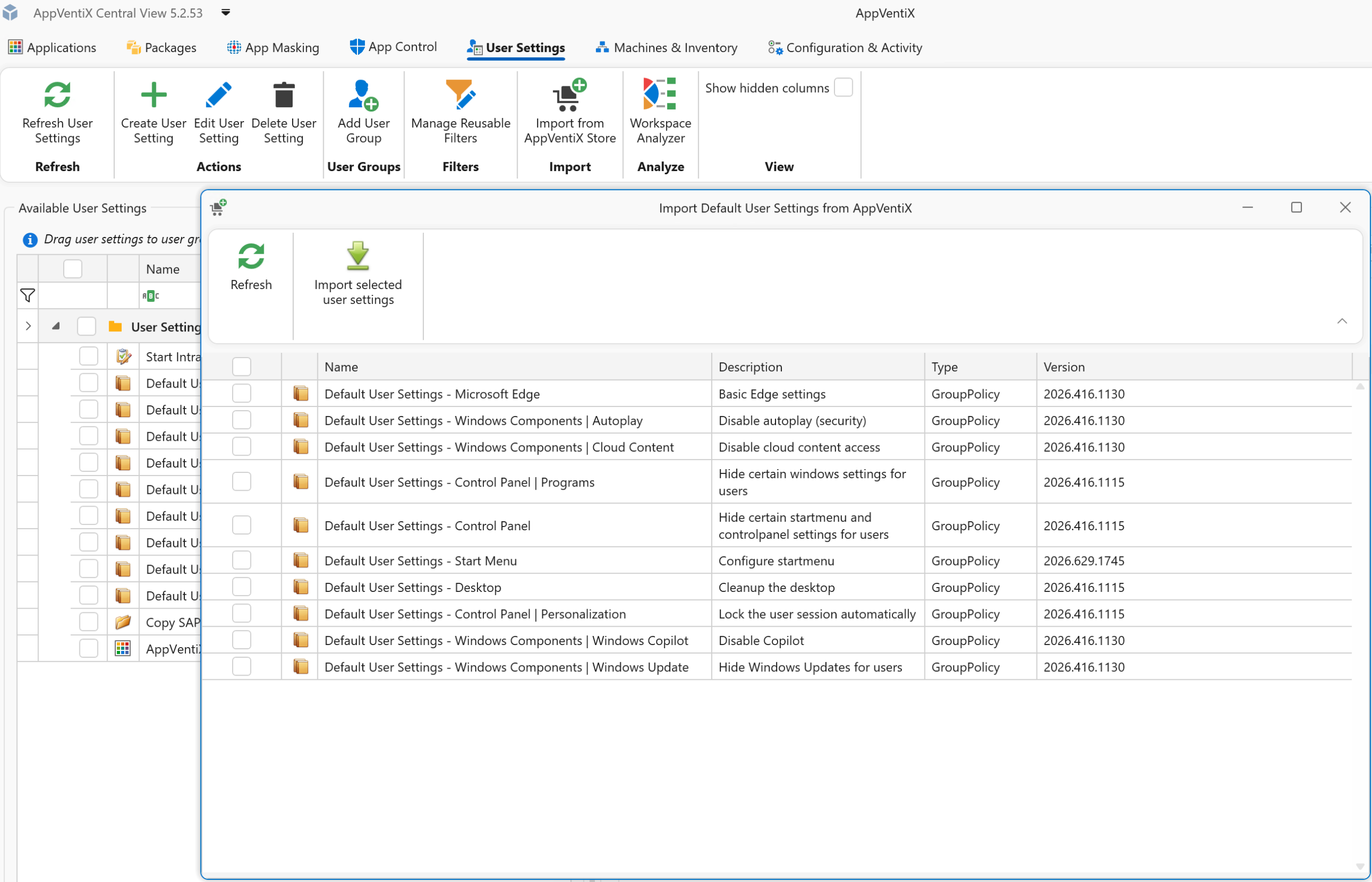
User Setting improvements
User settings were already removed when they were no longer assigned to a user. This behavior has now been extended so that user settings are also removed when no assignments remain for the user.
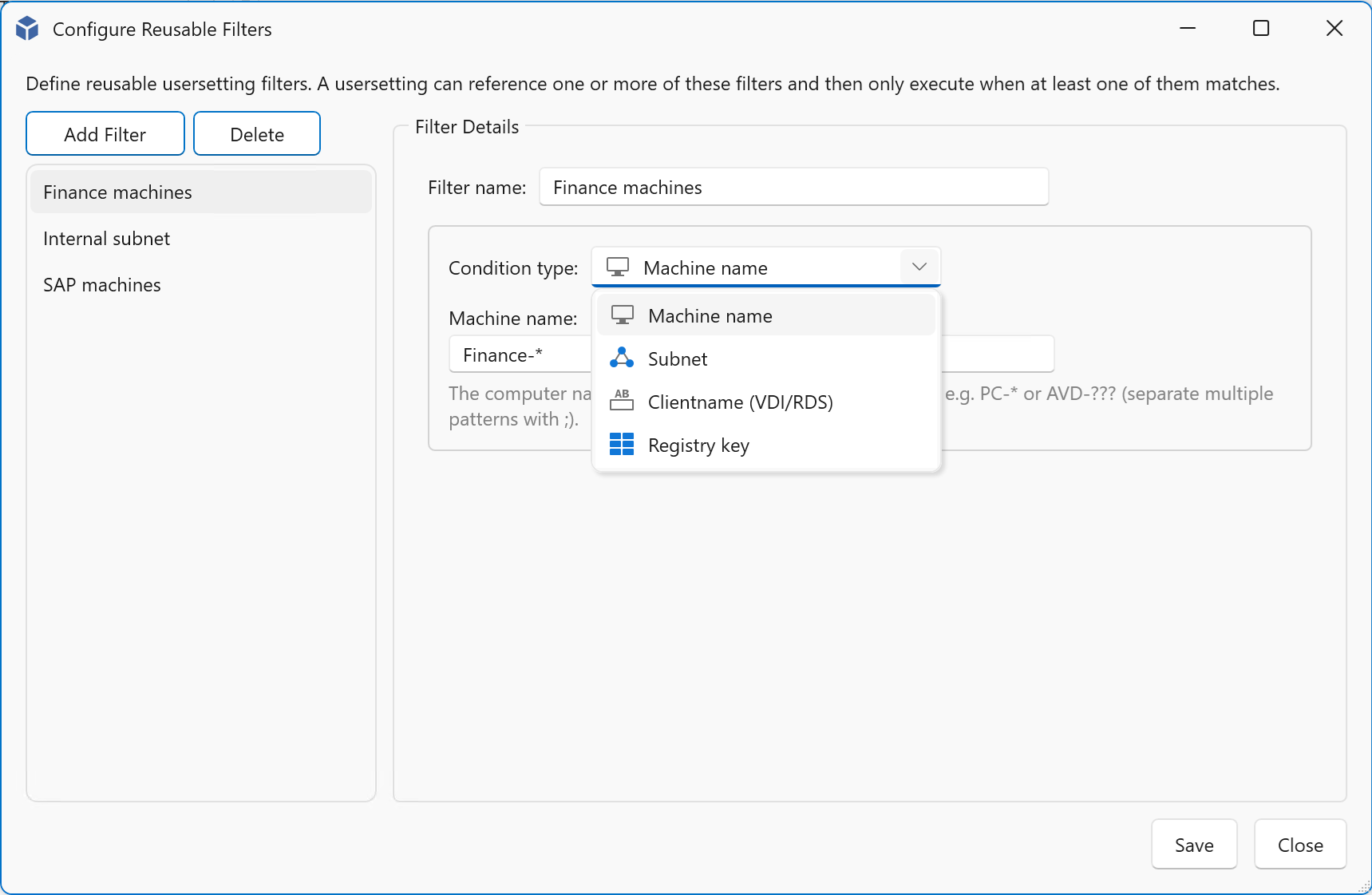
Also, reusable filters can now be created and applied across multiple user settings. These filters can be used to target settings based on machine name, subnet, or the existence of registry keys, with wildcard support included.
A new filter option, “Excluded groups,” has been added for user settings. While user settings are assigned to user groups, this additional filter allows you to define groups that should be excluded from receiving those settings.
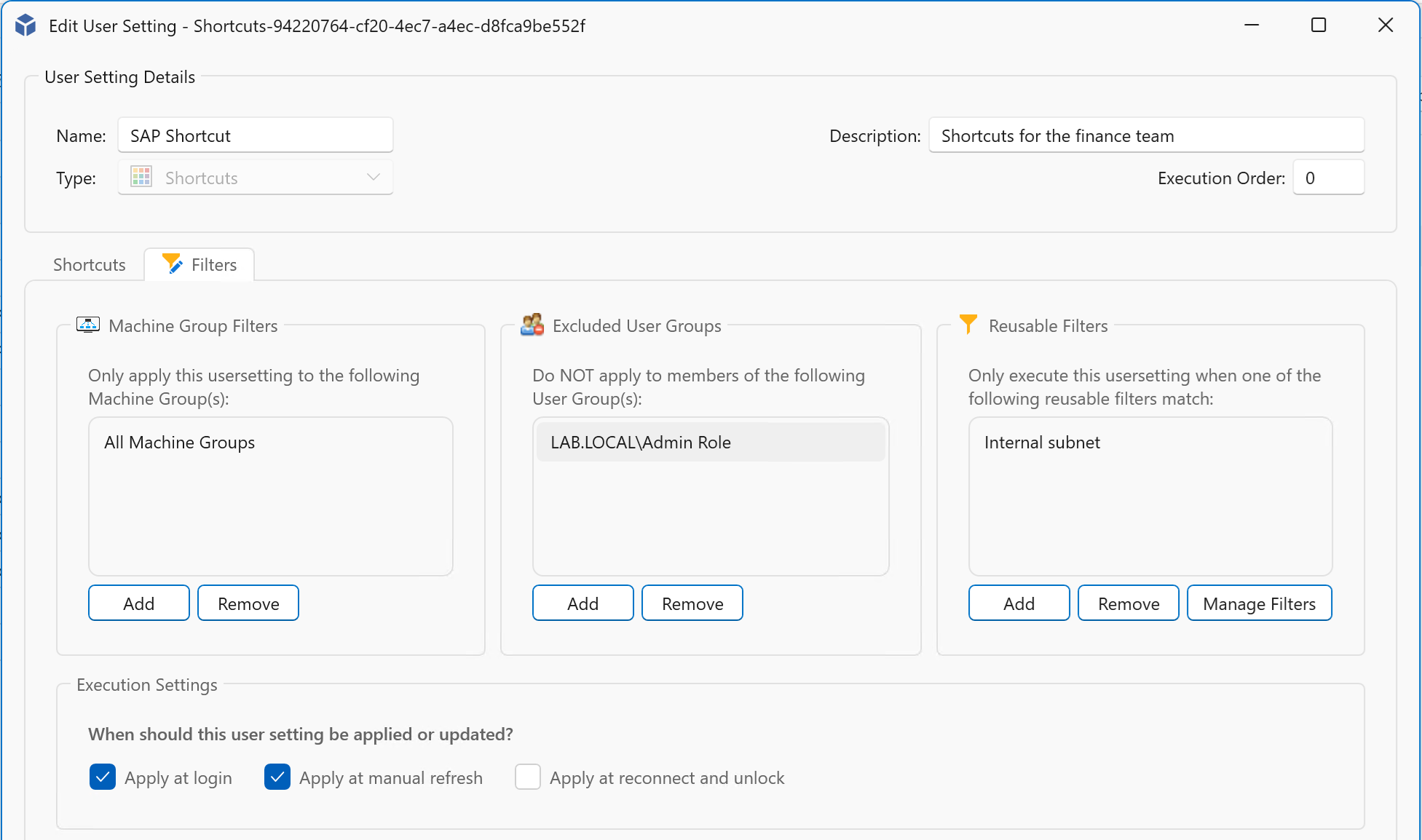
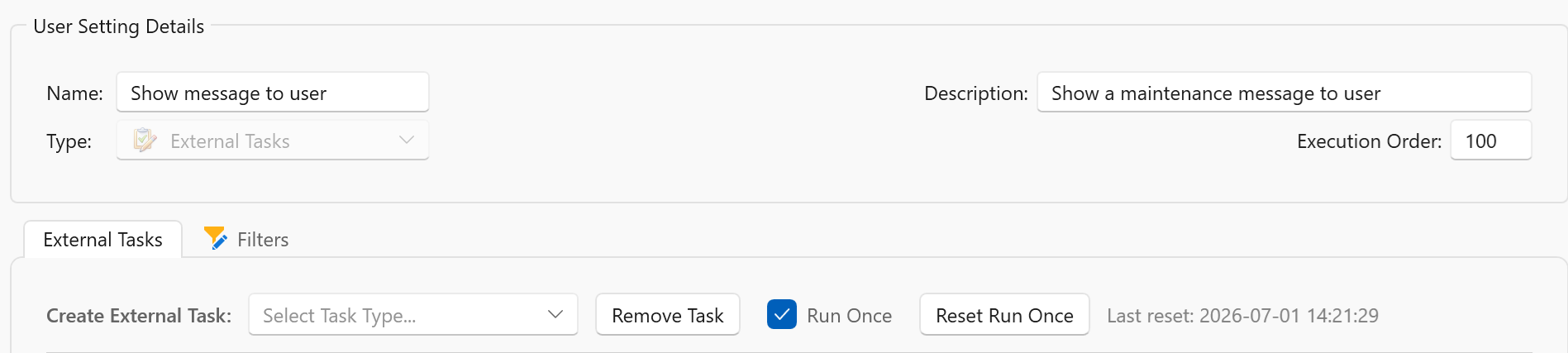
User settings configured with “RunOnce” can now be reset, allowing them to be applied once again the next time they are processed.
App Control improvements
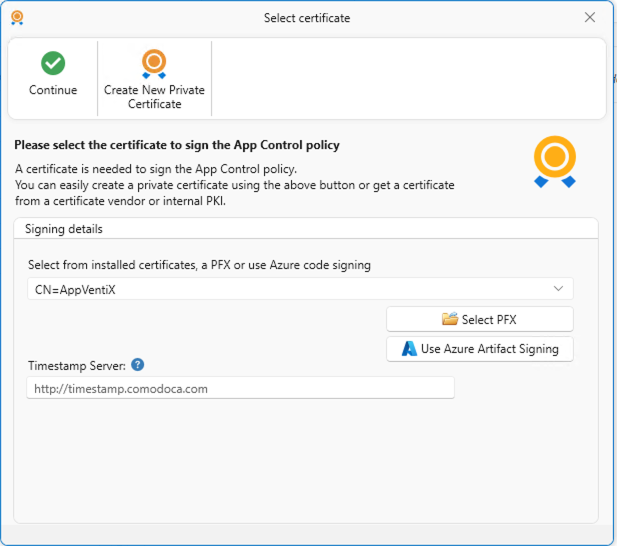
App Control policies can now be signed with a certificate to further enhance security. Signing App Control policies helps ensure they cannot be tampered with. Azure Artifact Signing support has been added for signing App Control policies
App Control block and audit event logging have been improved to include publisher information, making it easier to create App Control policies directly from event data.
Take control now with the latest AppVentiX release.
Replace your traditional App-V infrastructure with AppVentiX and maintain full App-V support while gaining real-time control and enhanced functionality. Manage App-V and MSIX together in one platform and migrate to MSIX gradually when it suits your organization.