

Exciting news. AppVentiX 5 is now available, this version marks a major step forward in modern application delivery. This release enhances App-V and MSIX management with improved scalability and administration, while introducing Workspace Control to extend management beyond applications to the entire digital workspace.
What’s New in AppVentiX 5
This release is organized into three key areas: Application Delivery, Workspace Control, and Platform. Below, you’ll find the main highlights, along with screenshots that showcase the new functionality in action. Each section outlines the enhancements and new capabilities introduced in AppVentiX 5, providing a clear view of what’s new and how it benefits your environment.

Application Delivery

AppVentiX modernizes how you deliver and manage applications with a simple, real-time approach that keeps users productive and IT in control. There’s no need to repackage AppV or MSIX applications and no proprietary technology locking you in.
Both admins and users benefit from fast, intuitive tooling that makes deployment smooth, predictable and easy to maintain across any environment.
MSIX Enhancements
- Create and manage shortcuts and file type associations during package creation
- Assign MSIX packages to all users
- View package membership in shared containers
- Prevent users from installing unmanaged MSIX packages
- New built-in registry editor
App-V Enhancements
- View package memberships and associated Connection Groups
- Improved Connection Group creation
- Enhanced deployment configuration file support
- An AppVentiX migration tool from the App-V publishing server to AppVentiX
Improved Microsoft Store Browsing and importing
- Browse the Microsoft Store directly from the AppVentiX console
- Check for updates to previously imported packages
Update Notifications
- Quickly publish the latest version and get notified about old versions that are published
- Simplify removal of outdated package versions
Publishing and Filtering
- Support for assigning multiple user and machine groups within the same publishing task
Workspace Control

AppVentiX gives you precise, flexible control over every user workspace. You can deploy user preferences, configure application settings through administrative templates and run one-time tasks or scripts to keep environments clean and predictable. Network drives and printers are mapped automatically, trusted application exceptions are managed consistently and you can granularly hide applications to shape the perfect workspace experience for every user.
Manage User Workspace Settings
Easily configure and deploy user workspace settings from the AppVentiX Central View console, including:
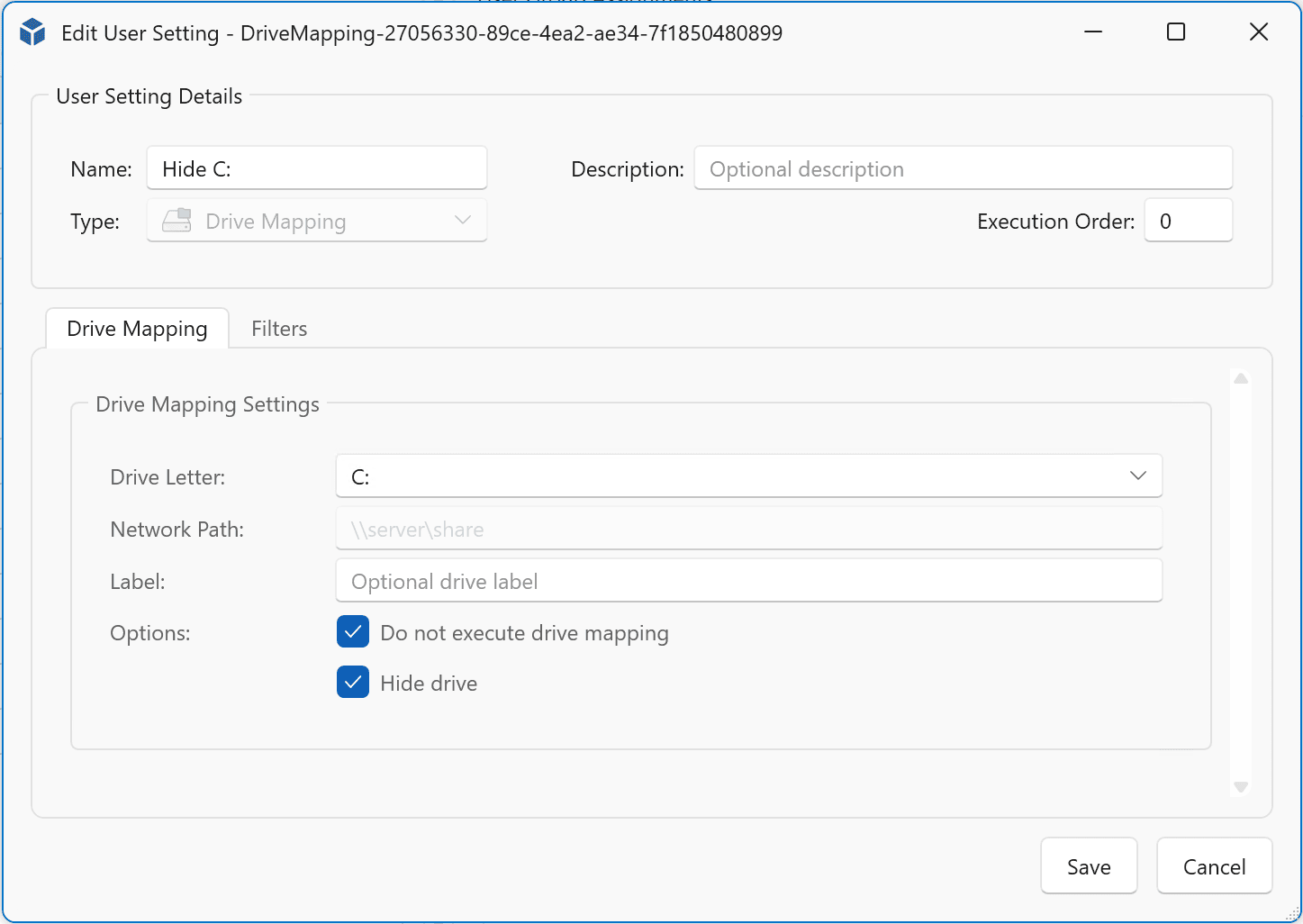
- Drive mappings
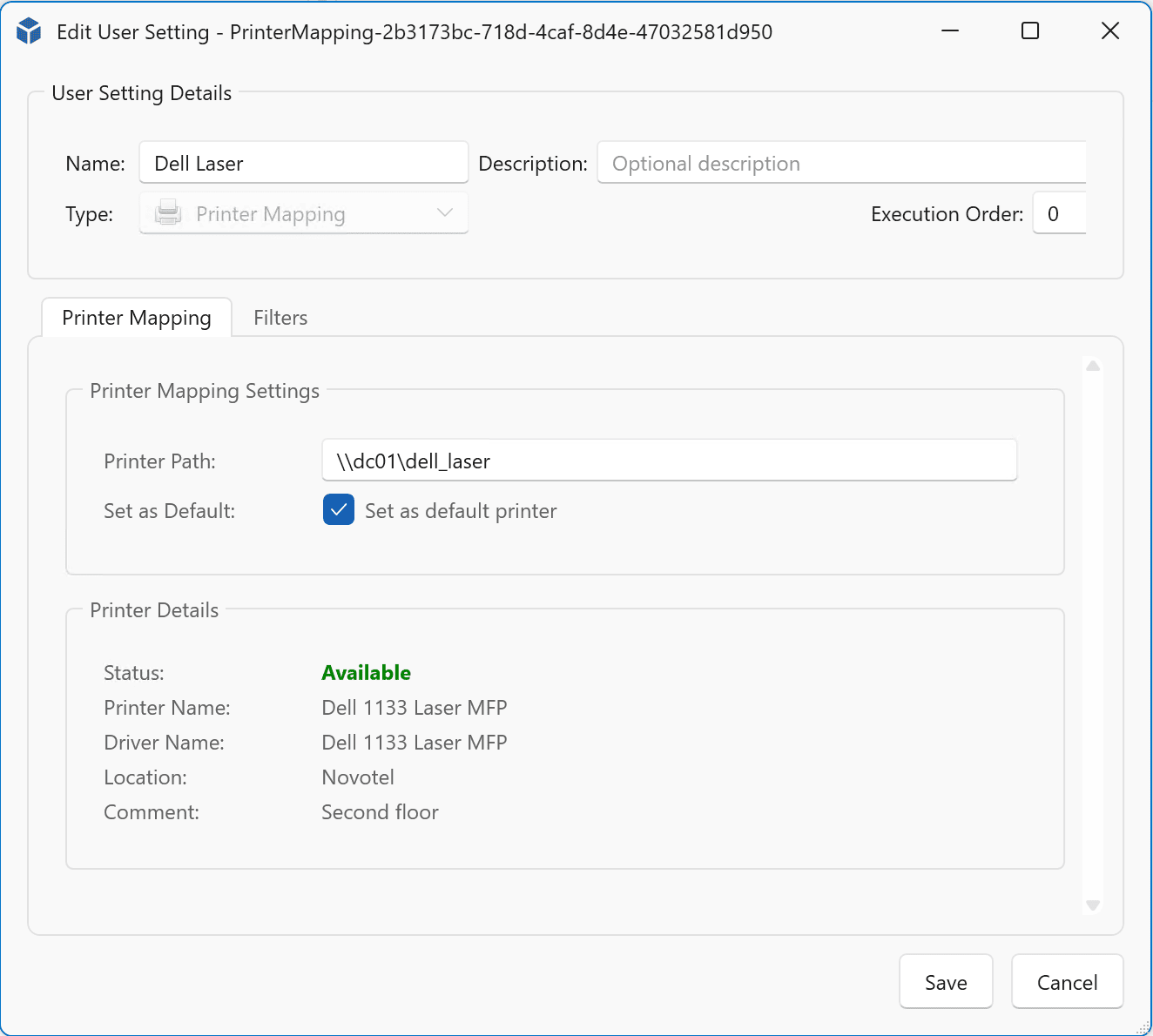
- Printer mappings
- Environment variables
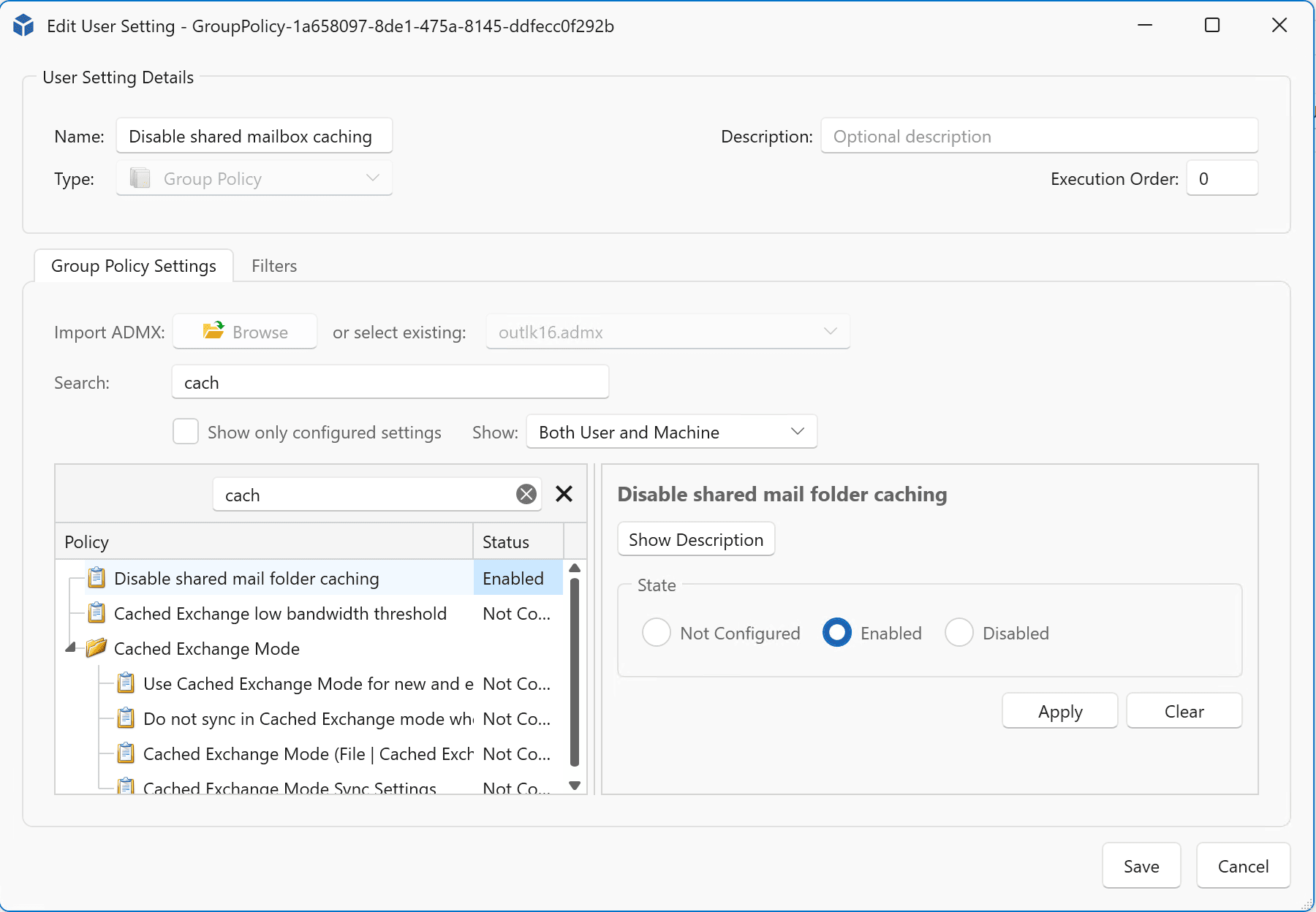
- Group Policies
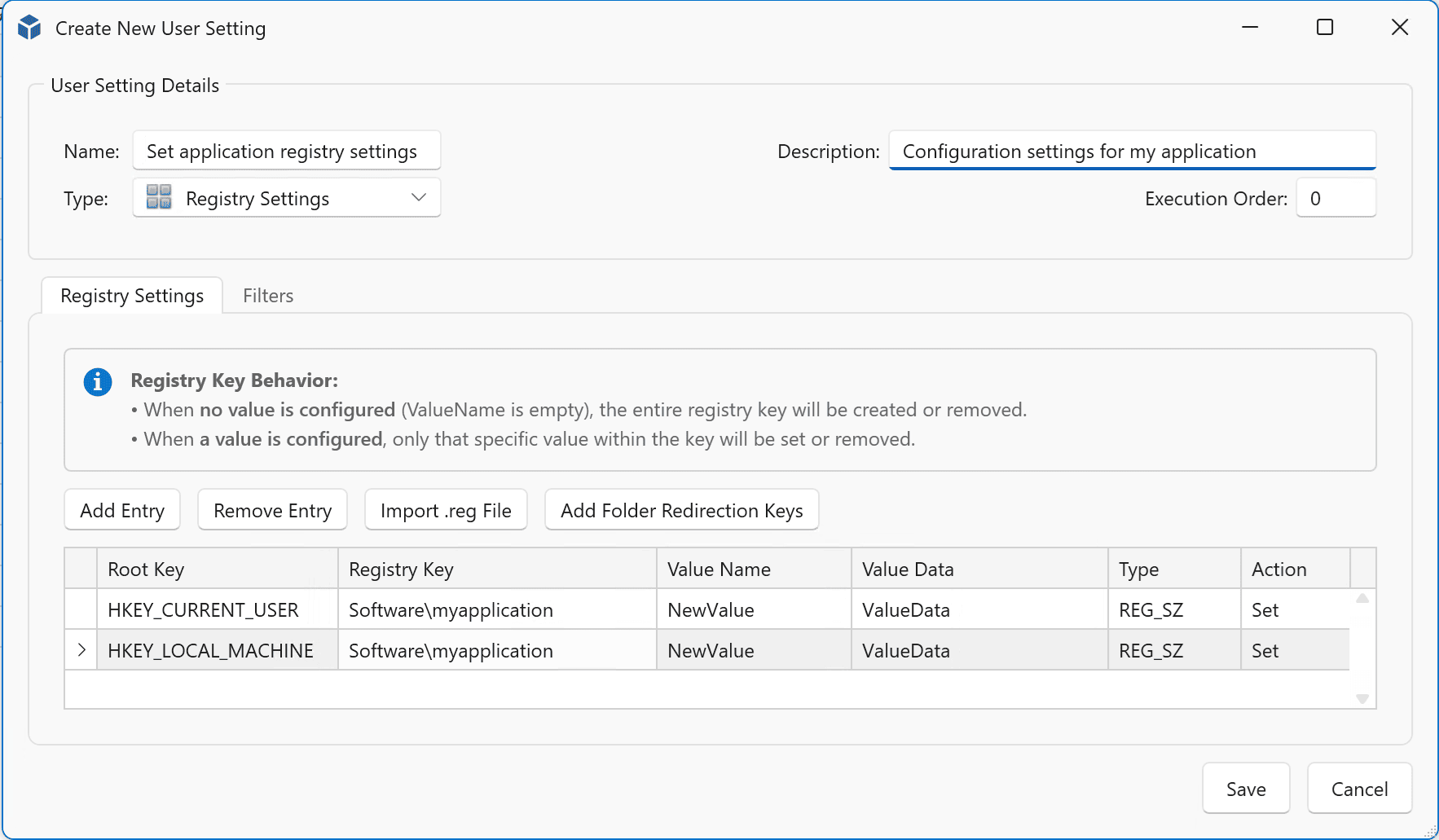
- Registry keys
- File actions (copy, remove, modify)
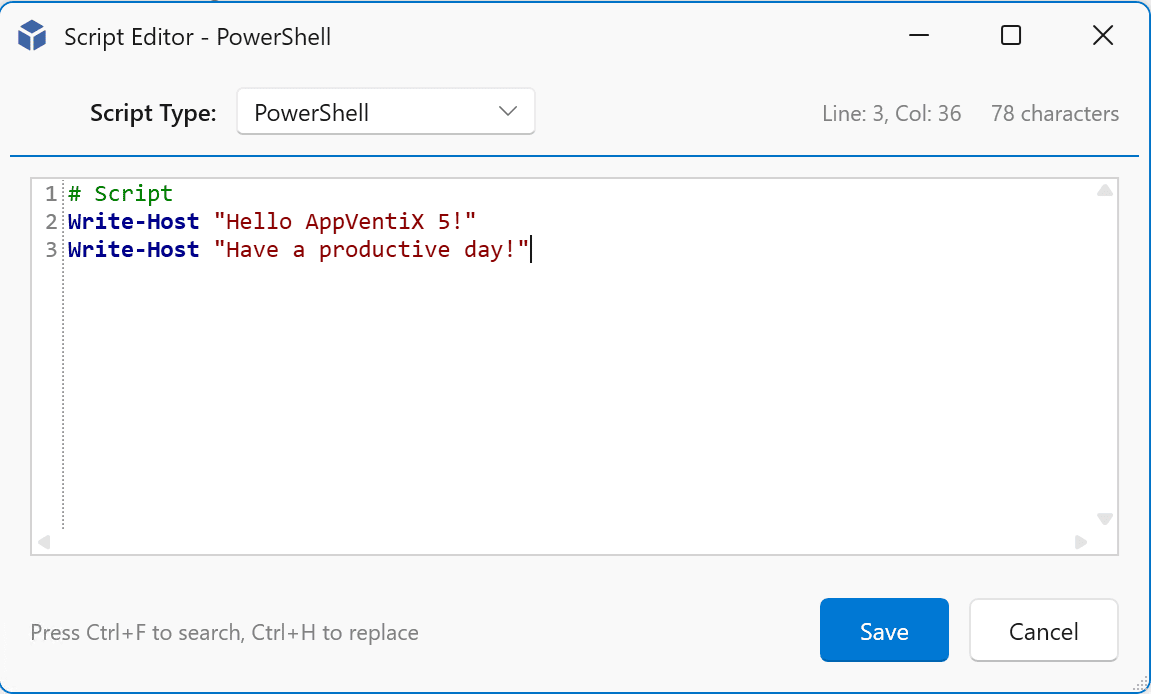
- External tasks including scripts with an embedded script editor
This enables full control over the user workspace without the need for complex scripting or multiple tools. The feature integrates seamlessly with our App-V and MSIX application delivery capabilities.
Management Console
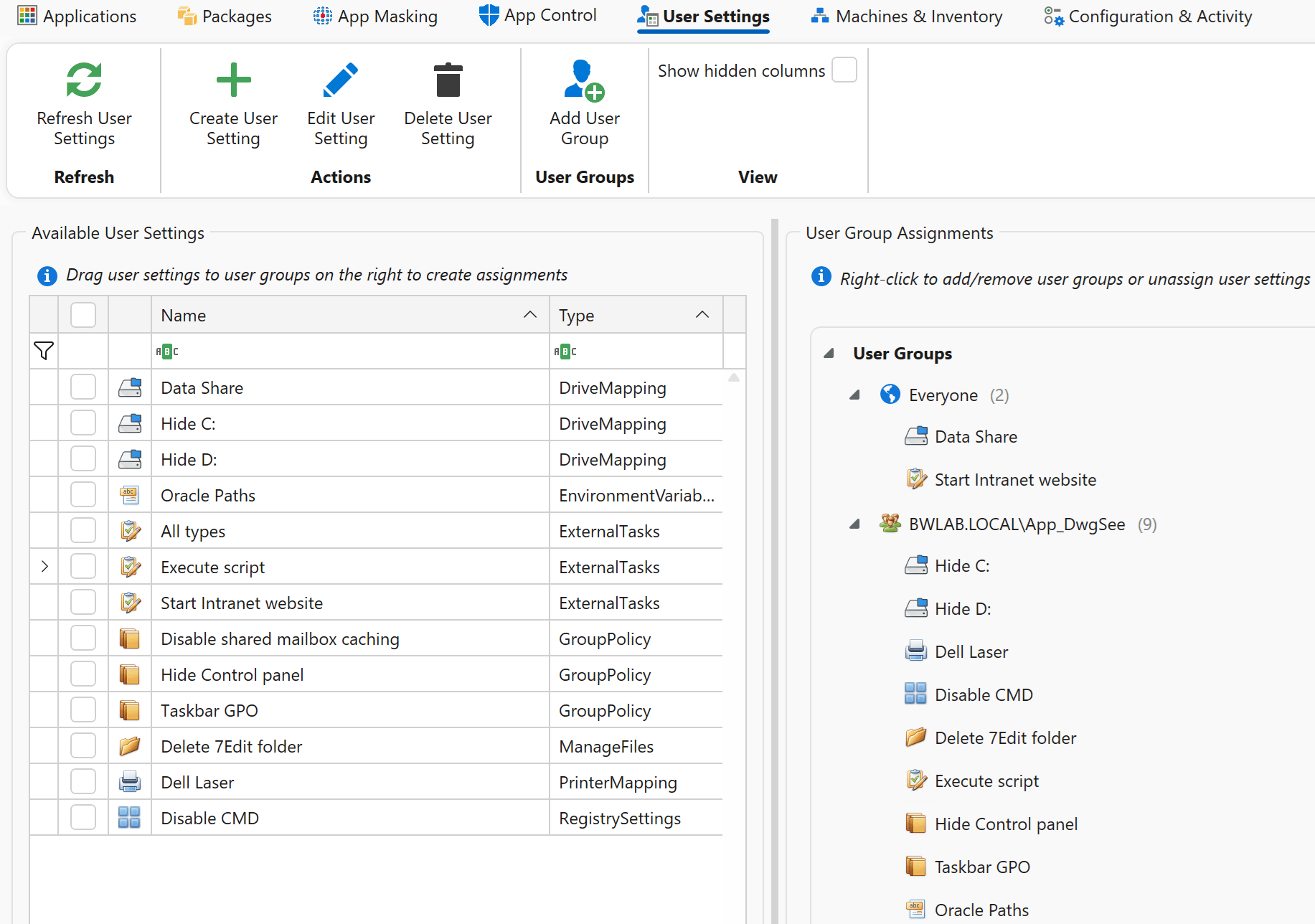
External Tasks
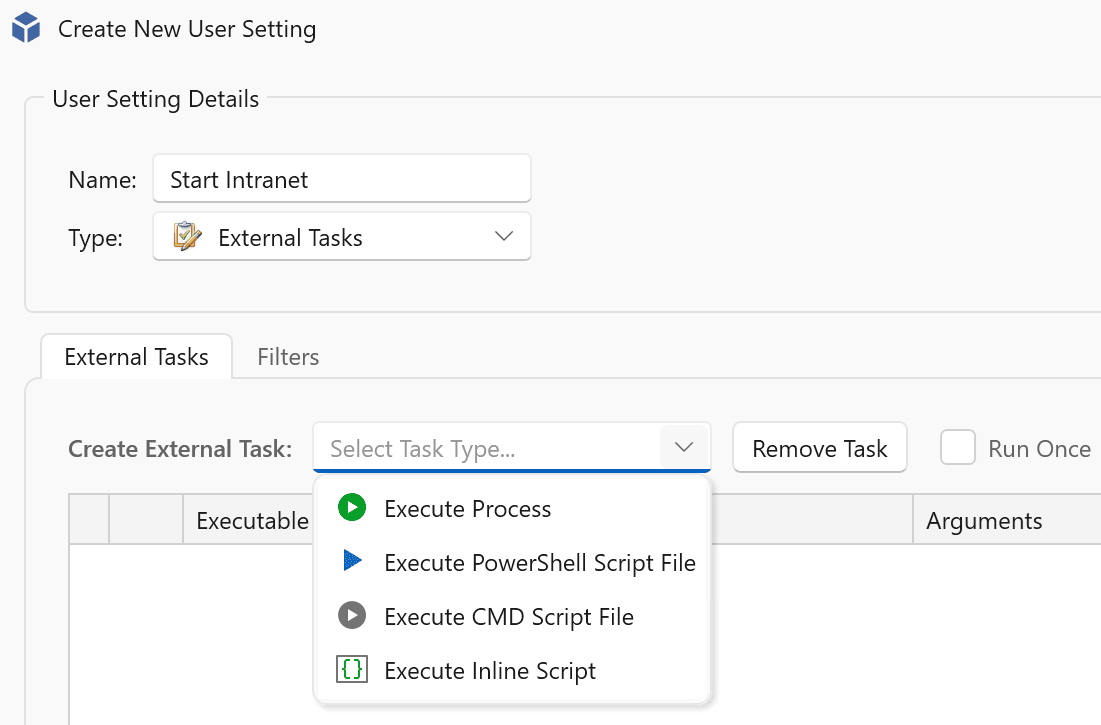
Drive Mapping
Printer Mapping
Registry Settings
Group Policies
Script Editor
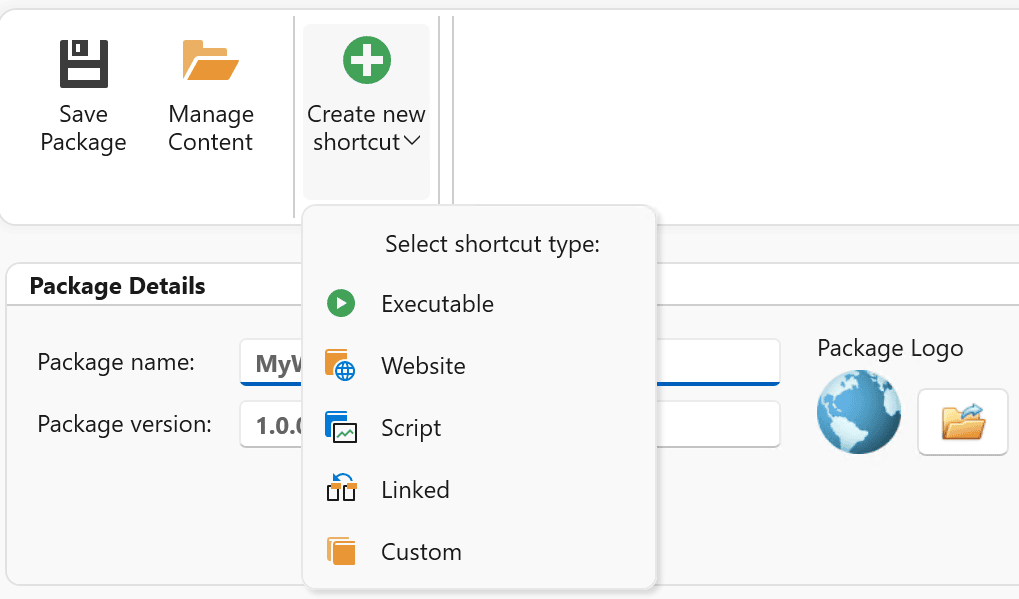
Shortcut management
By leveraging MSIX, managing shortcuts becomes simple and flexible. You can create shortcut packages that include executables or script files, allowing you to launch virtually any application or task.
Simply create a new package and select “Create new shortcut” to configure the target. Shortcuts can start executables with or without arguments, whether they are included inside the package or located externally on the system.
For example, you can create a shortcut that launches Microsoft Edge and automatically opens a specific website.
Create a shortcut
Added to the startmenu including support for startmenu folders

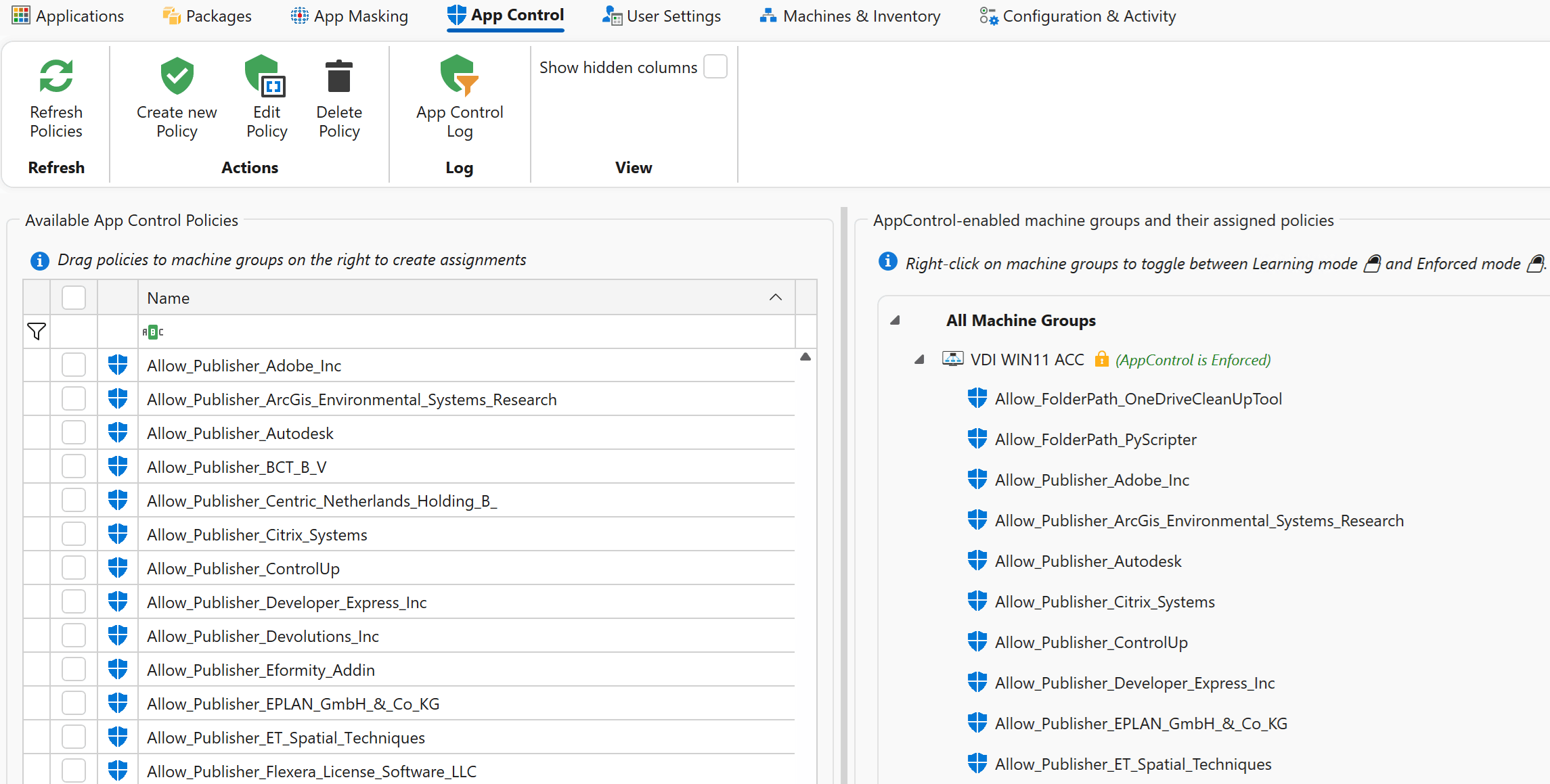
AppVentiX now includes centralized management for Microsoft App Control for Business (WDAC), enabling administrators to secure endpoints while simplifying policy creation.
Key capabilities include:
- Centralized event monitoring
- Visibility into blocked processes
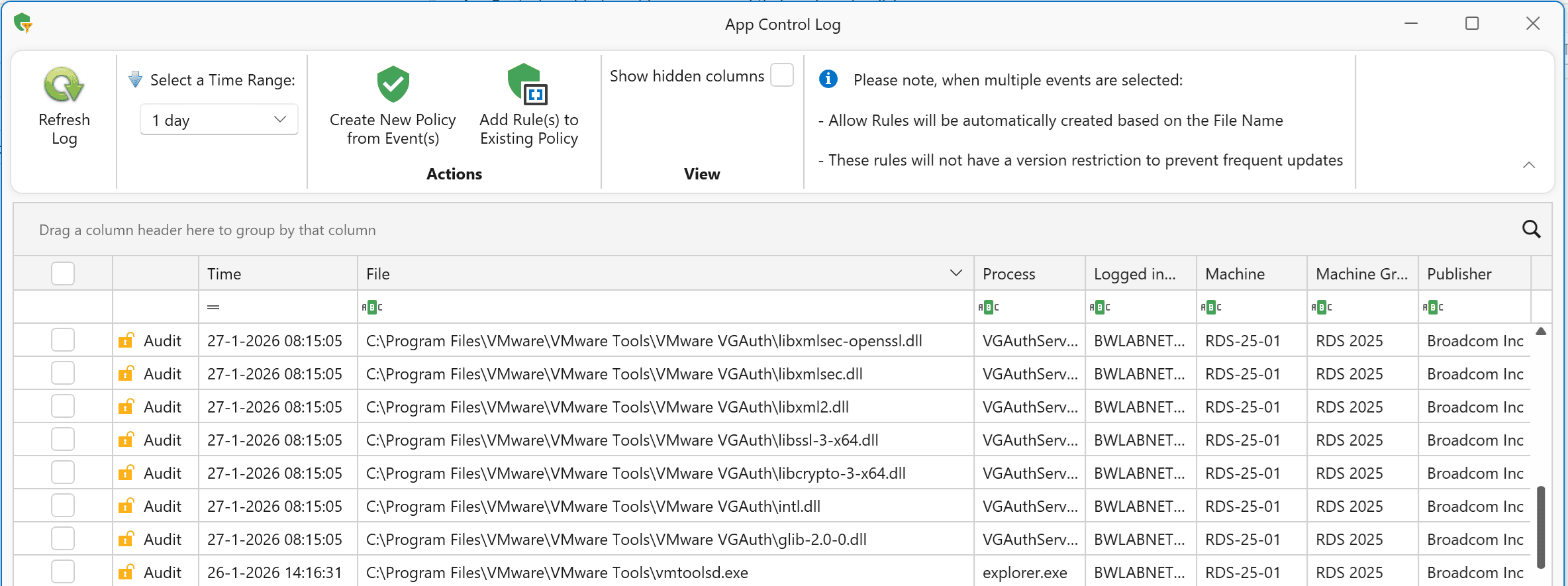
- Direct policy creation from captured events
- Learning mode to automatically build baseline policies
App Control policies can be created from audit of block events or they can be created manually. All app control rule types are supported. This dramatically reduces the time and effort required to implement application control securely.
Management Console
Add Rule
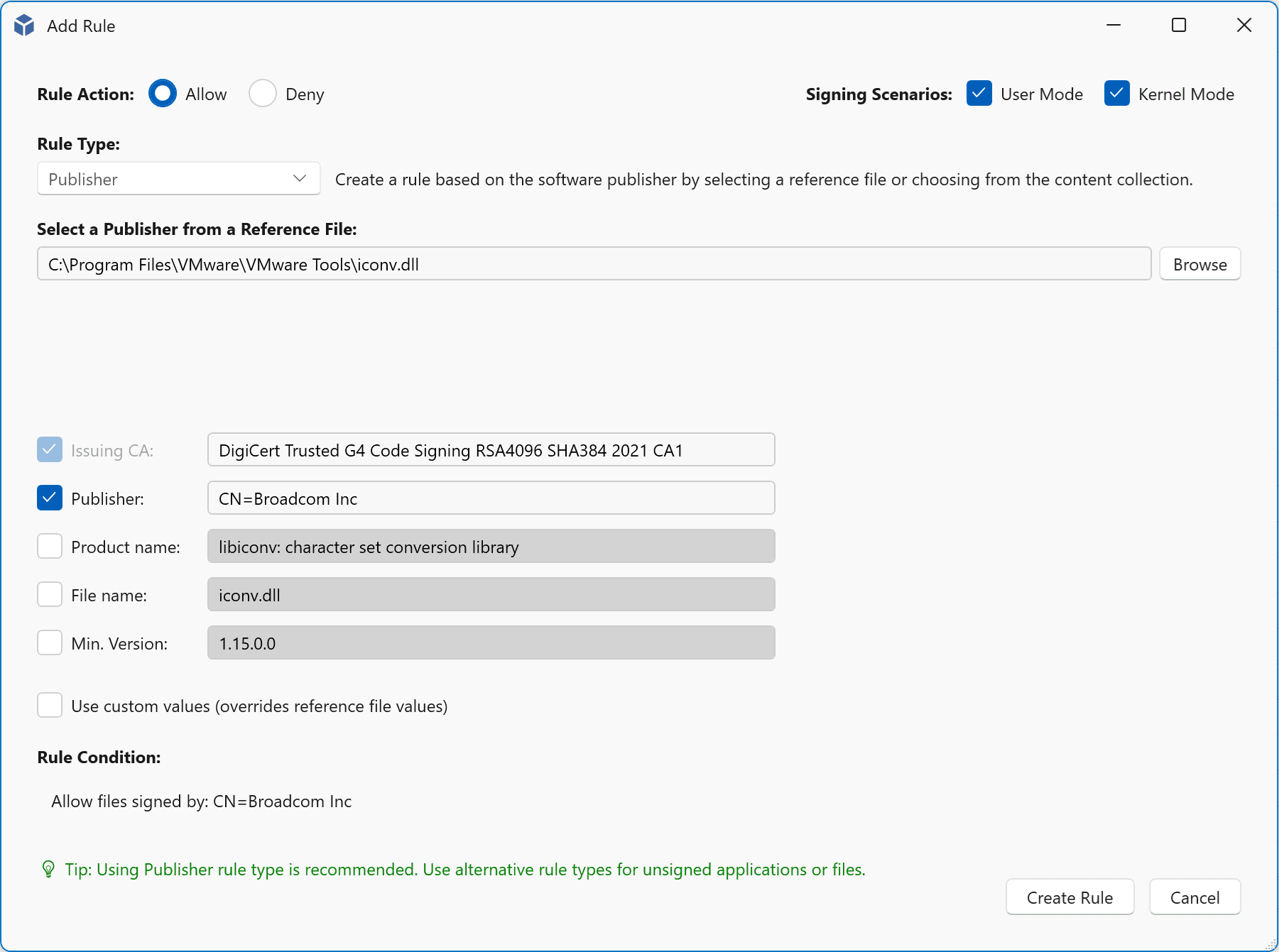
Collect Events
Blocked unauthorized application
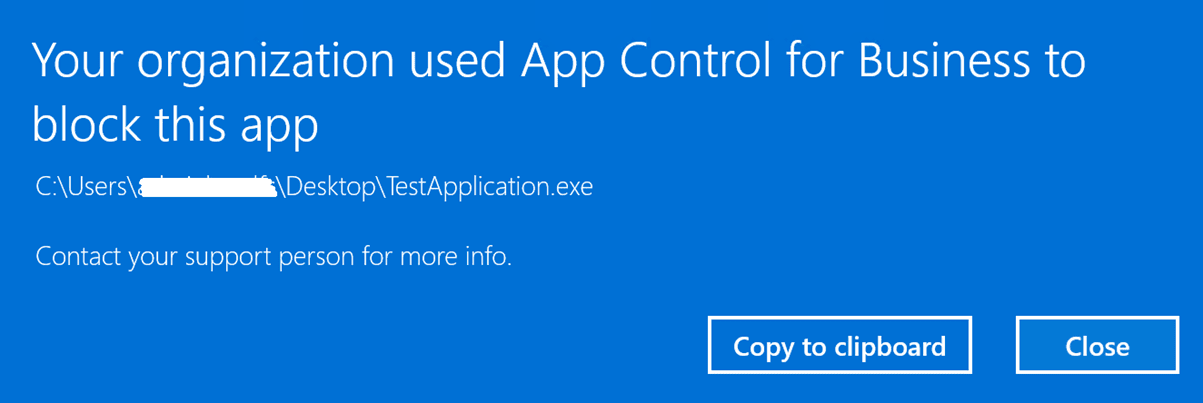
Blocked event

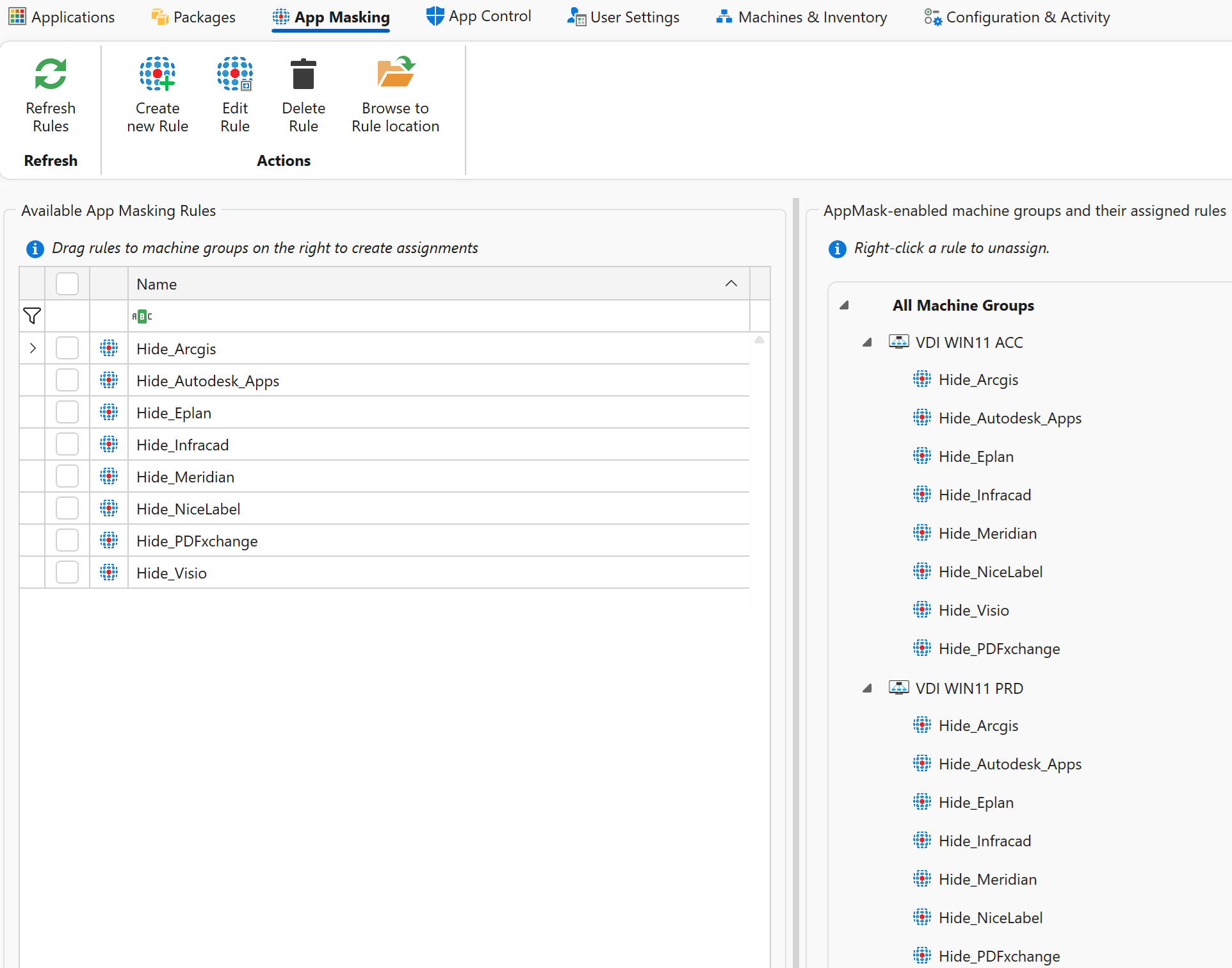
App Mask rules can now be assigned to machine groups with an intuitive drag-and-drop action, simplifying targeting and deployment. Additionally, rules are now stored in one location, removing the need to manage multiple content shares.
App masking
Platform

The AppVentiX platform provides the foundational capabilities that power all application delivery and workspace control features. It delivers a secure, scalable, and resilient management layer that works consistently across on-premises, cloud, hybrid, and disconnected environments. Designed to integrate seamlessly with existing infrastructure, the platform enables centralized administration without dependency on cloud connectivity or proprietary services.
Role-Based Access Control (RBAC)
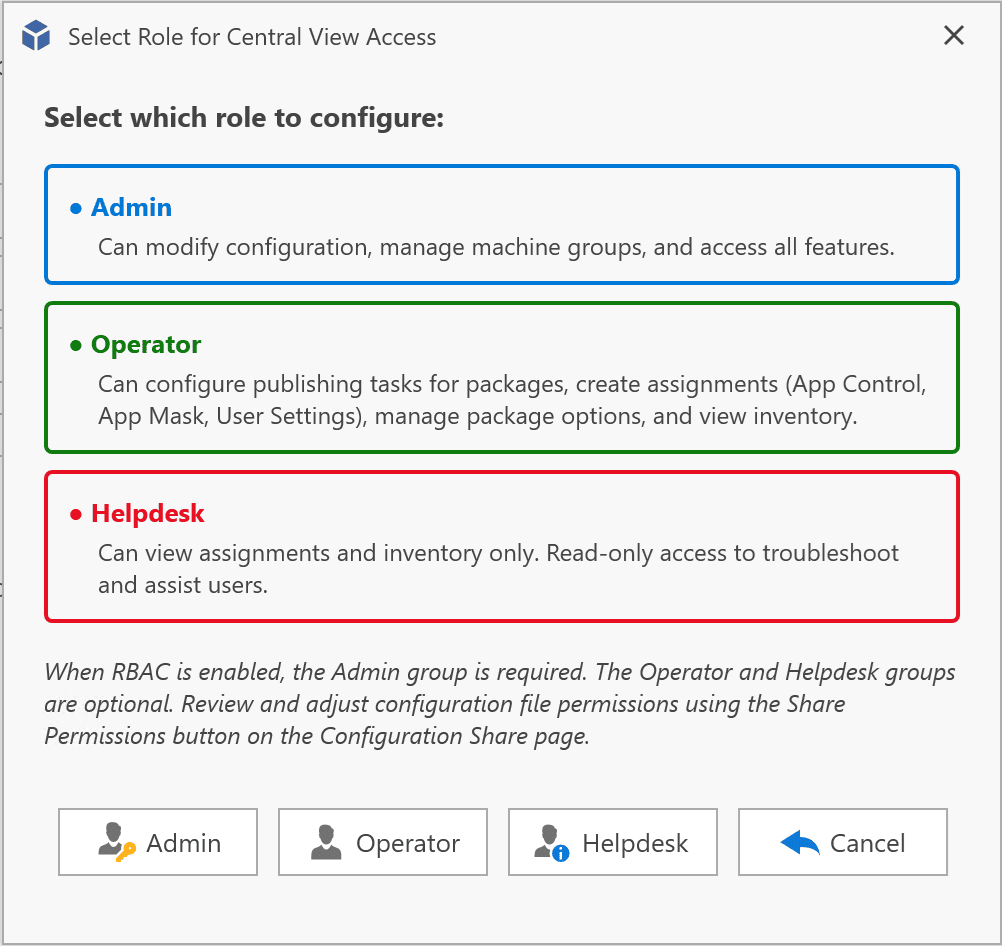
Role Based Access Control (RBAC) allows you to delegate access to the AppVentiX Central View console safely and efficiently.
With configurable roles, you can:
- Restrict visibility to specific areas
- Limit configuration permissions
- Assign responsibilities to helpdesk or operations teams
This ensures better governance and reduces the risk of accidental change.
Role-Based Access Control
Audit Trail
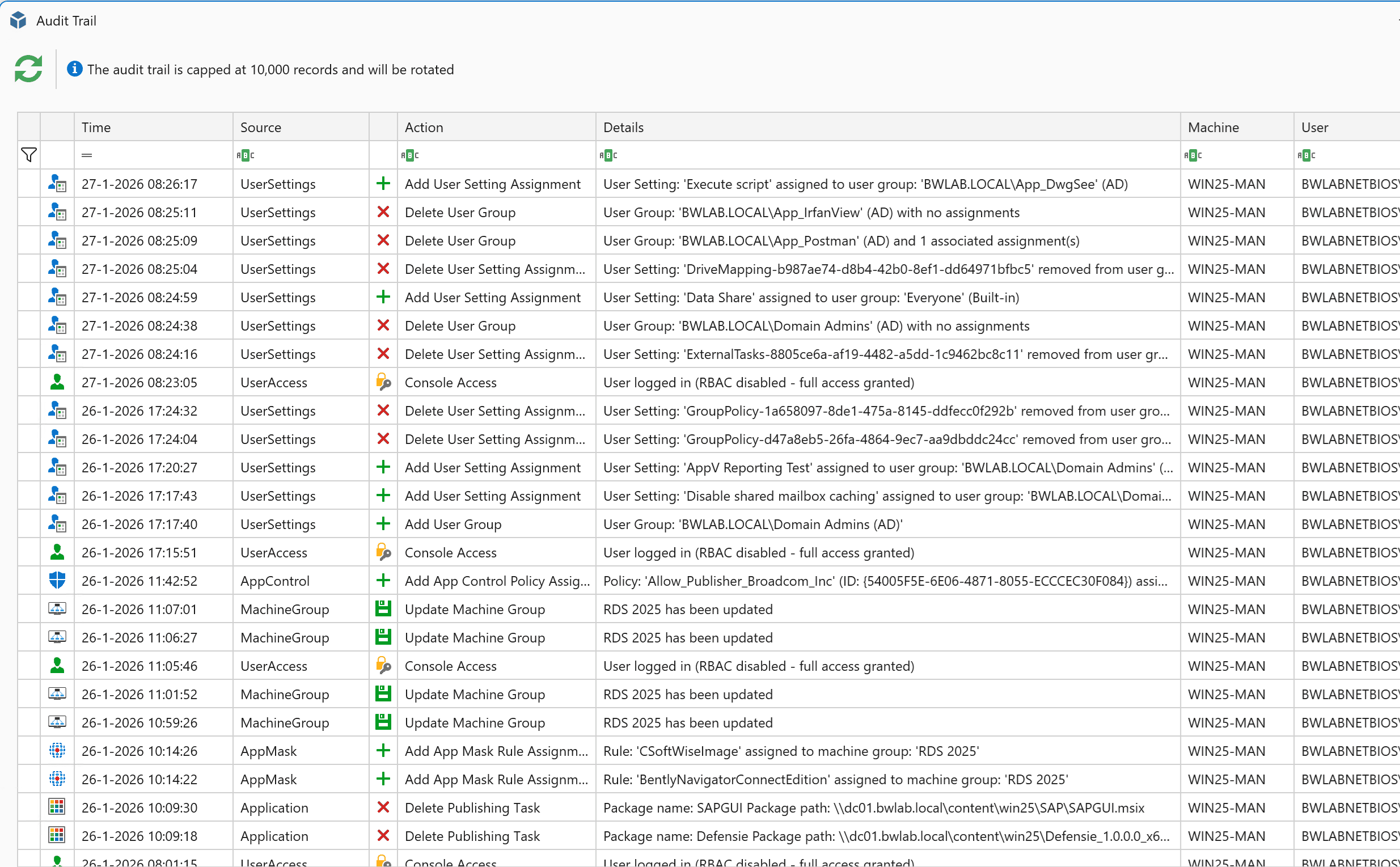
All administrative actions are now logged in a comprehensive audit trail.
You can track:
- Who made a change
- What was modified
- When the change occurred
This provides full accountability and simplifies troubleshooting and compliance reporting.
Audit trail view
New Workspace Refresh Progress options
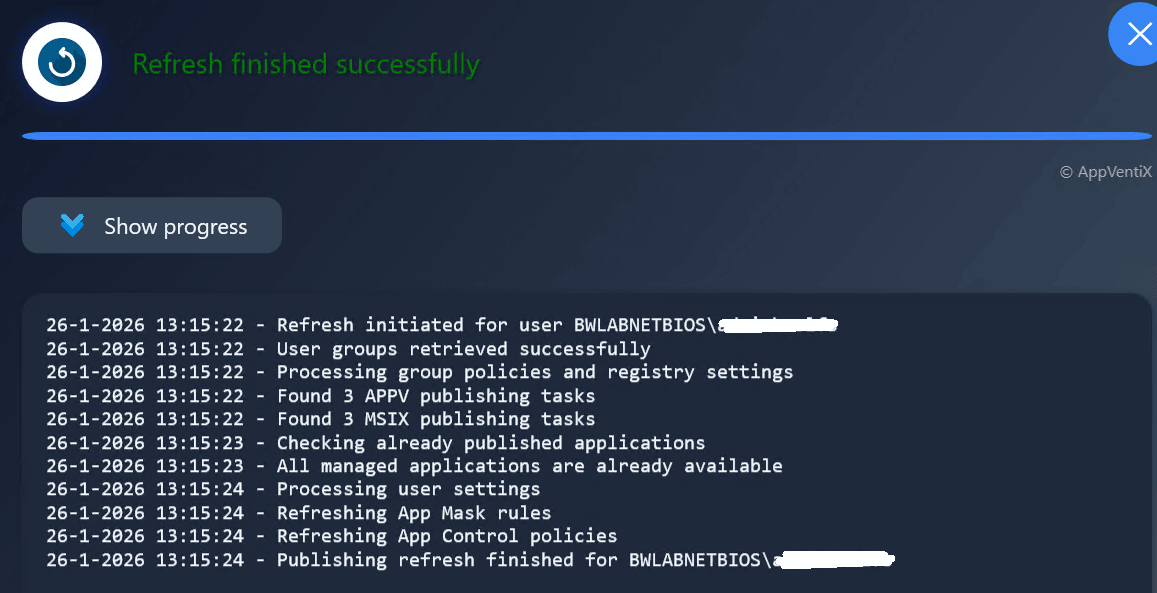
End users can quickly refresh their workspace and applications at any time using the new Workspace Refresh shortcut in the Start Menu, allowing changes to be applied instantly without logging off or rebooting.
This refresh updates:
- Assigned applications
- App Masking rules
- App Control policies
- User Settings (when configured to apply on refresh)
Workspace Refresh shortcut in the start menu

Optionally the Workspace refresh progress can be displayed
Progress Visibility at login
Also during login the progress will be displayed, this is enabled by default but can be disabled in the agent settings.
This gives users real-time feedback while:
- Applications are published
- Settings are applied
- Policies are processed
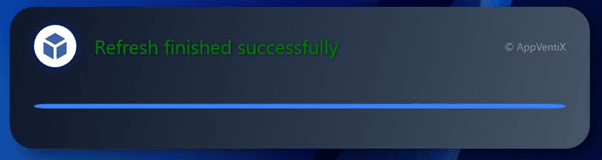
A small login progress window is displayed above the system tray, providing real-time feedback during session initialization.
Both refresh windows are localized in the following languages: English, Dutch, German & French.
Login progress window
Inventory improvements
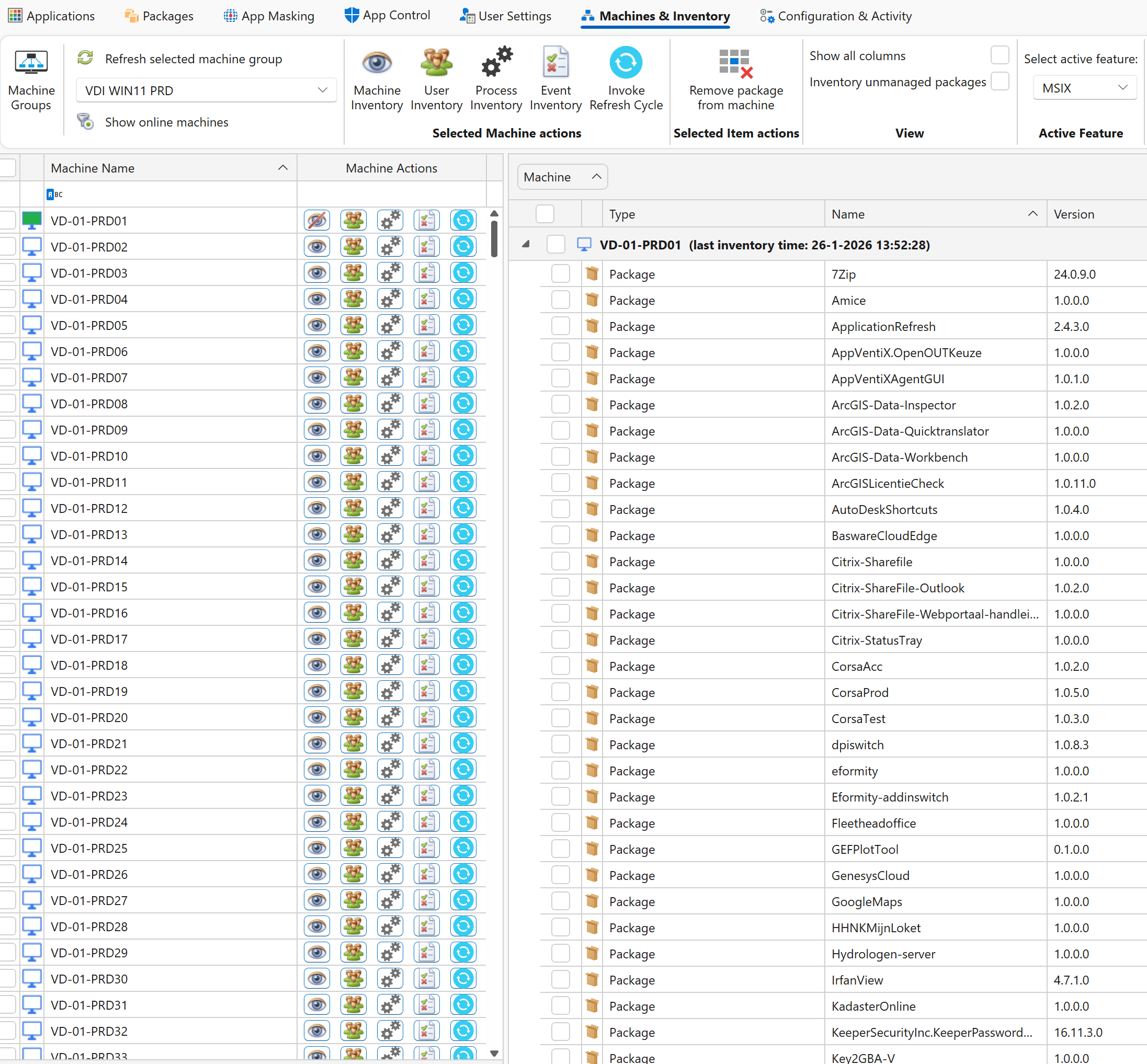
The Machine Inventory has been enhanced with improved visibility and management capabilities, giving you a complete overview of all machines, installed packages, and versions in one centralized view.
Machine Inventory
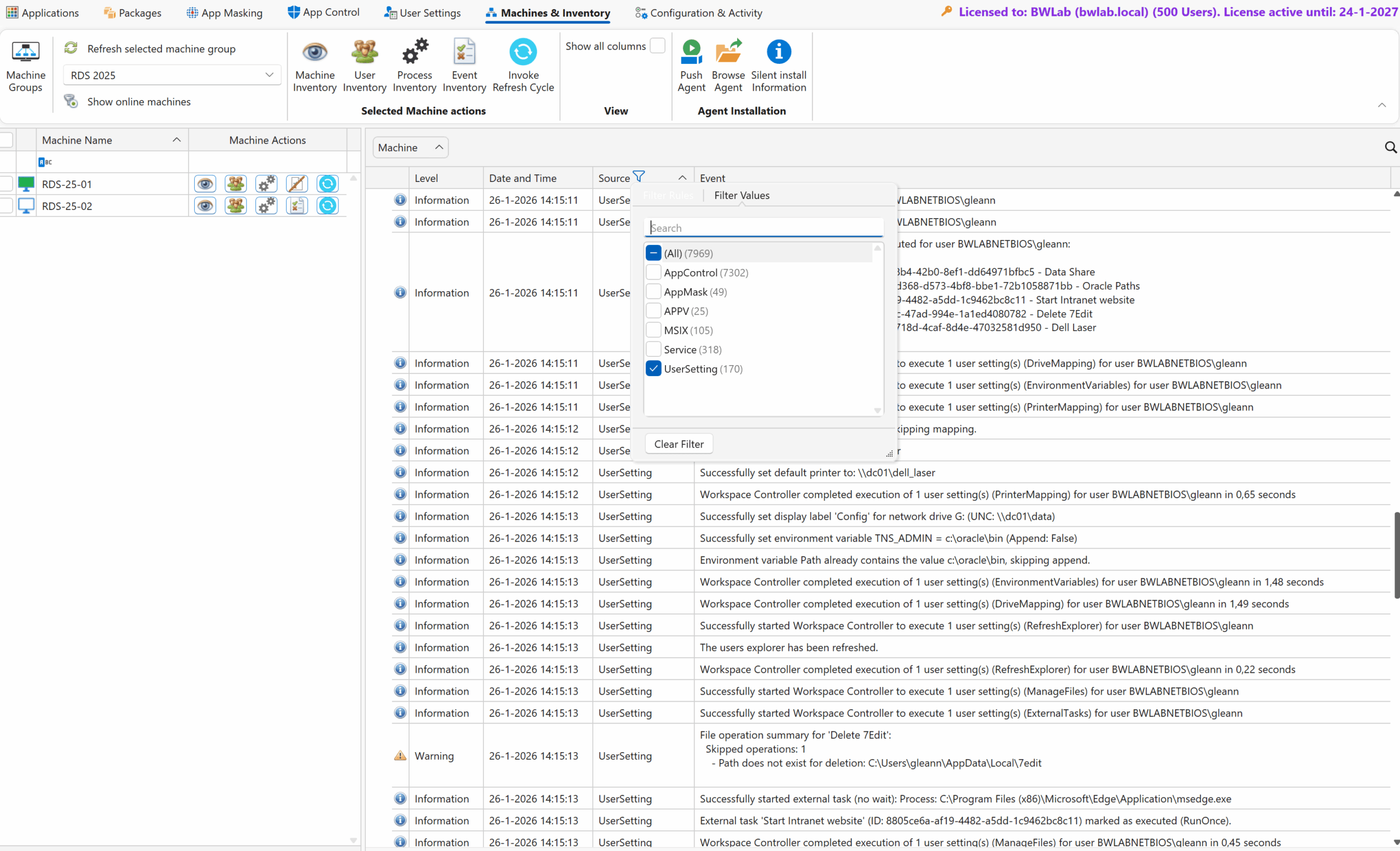
The event inventory now includes powerful new filters, making it easy to search, isolate, and analyze events, so you can instantly get a clear picture of all applied settings and actions across your environment.
Event Inventory
Support for QUIC File Shares
Secure file share access over port 443/TLS, enabling reliable connectivity even in remote or highly restricted network environments. By leveraging modern QUIC transport, users benefit from improved performance, enhanced security, and seamless access to file shares without requiring additional firewall or VPN configurations. The admin guide contains information about setting up the QUIC share for AppVentiX.
AppVentiX Agent GUI Improvements
- Expanded functionality with enhanced management capabilities for both App-V and MSIX
- The Agent GUI can now be launched directly from the Program Files directory (no default Start Menu shortcut is created)
- Optionally publish the Agent GUI to the Start Menu using the AppVentiX Store application
- New setting to restrict the Agent GUI to administrators only, improving security and preventing unauthorized access
Configuration Caching (Performance Boost)
- New caching mechanism dramatically improves scalability
- Supports thousands of endpoints with reduced backend load
PowerShell Module Updates
- Enhanced cmdlets and reliability
- Improved automation and scripting capabilities
Stability & Quality
- Numerous UI and performance improvements
- General usability enhancements across the platform
Take control now with the latest AppVentiX release.
Replace your traditional App-V infrastructure with AppVentiX and maintain full App-V support while gaining real-time control and enhanced functionality. Manage App-V and MSIX together in one platform and migrate to MSIX gradually when it suits your organization.